SparkU - an AI mentor that takes teens from spark to startup
Directing a 0→1 AI learning platform - the product, the team, and a code-ready design system.
- Role
- Product Owner / Design Lead
- Timeline
- 2025 - Present
- Platform
- Web · AI
- Tools
- Figma · PrimeNG · OpenAI · LangSmith
Once upon a time, a school ran an offline entrepreneurship course teaching students build a ventures. It was an amazing course, and the teachers did their best.
So we thought - what if we could scale it? Share that success with students all over the world, through engaging 3D mentors that make it a human, valuable, and genuinely fun experience.
Turning that idea into a product fell to me - a genuine 0→1. I acted as Product Owner as much as Design Lead: defining what to build, and building the capability to build it.
Directed the product & built the team
Mapped the competitive landscape and turned it into a 60+ item backlog, deciding what shipped each sprint and driving timely delivery. Set up the hiring process and built a team of five - product, 3D, and animation designers - directing the work so we shipped in parallel without fragmenting.
Ran product research & validated with students
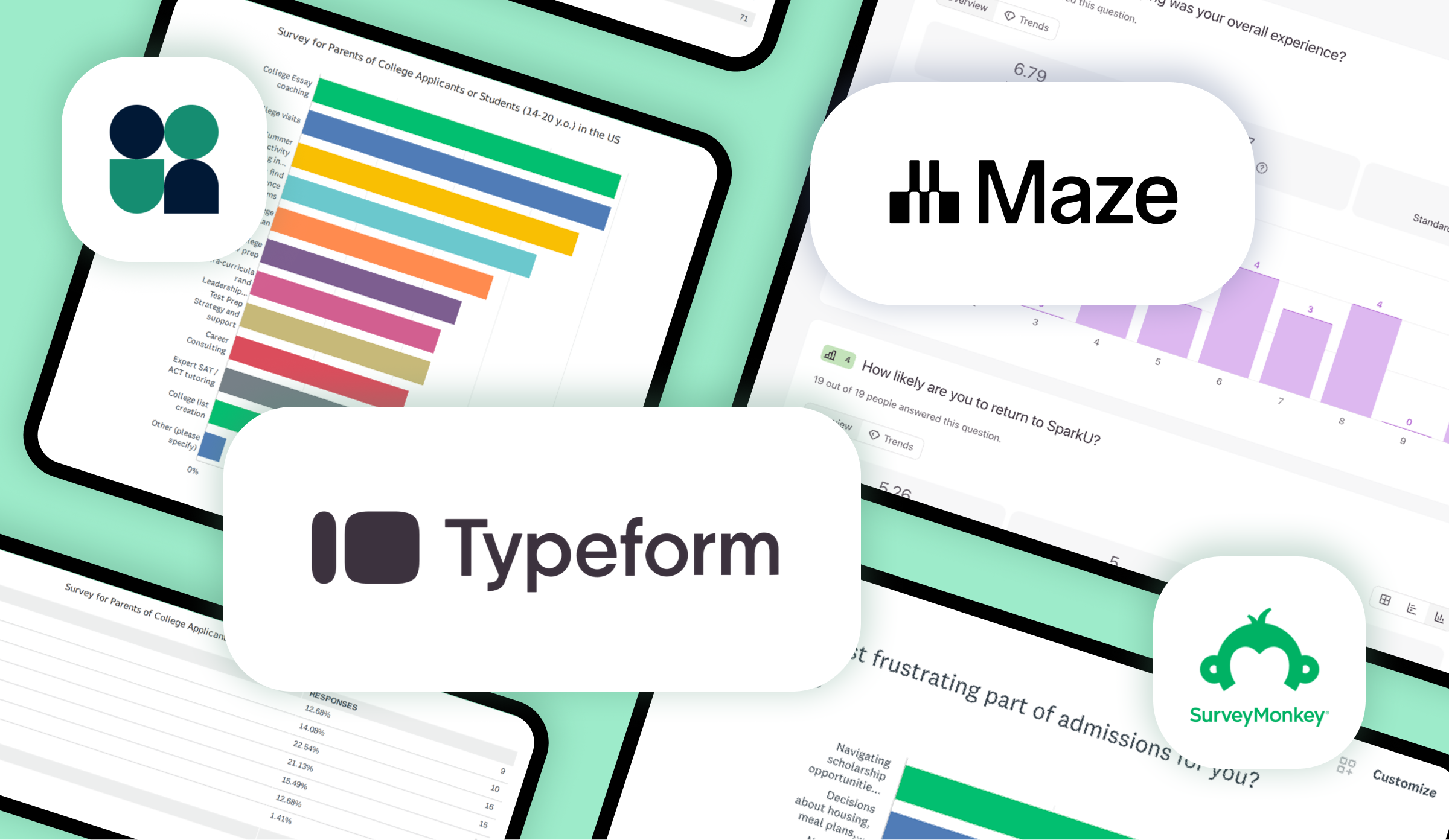
Gathered requirements through brainstorming sessions with entrepreneurship teachers and school leaders, and surveyed 260 students across the concept, prototypes, and live product - turning findings into decisions the whole team worked from.
Shaped the AI mentor's experience
Owned the course, the mentor's conversation and behaviour design, its edge cases, and the evaluation/QA criteria - partnering with engineers so the AI shipped the way it was designed.
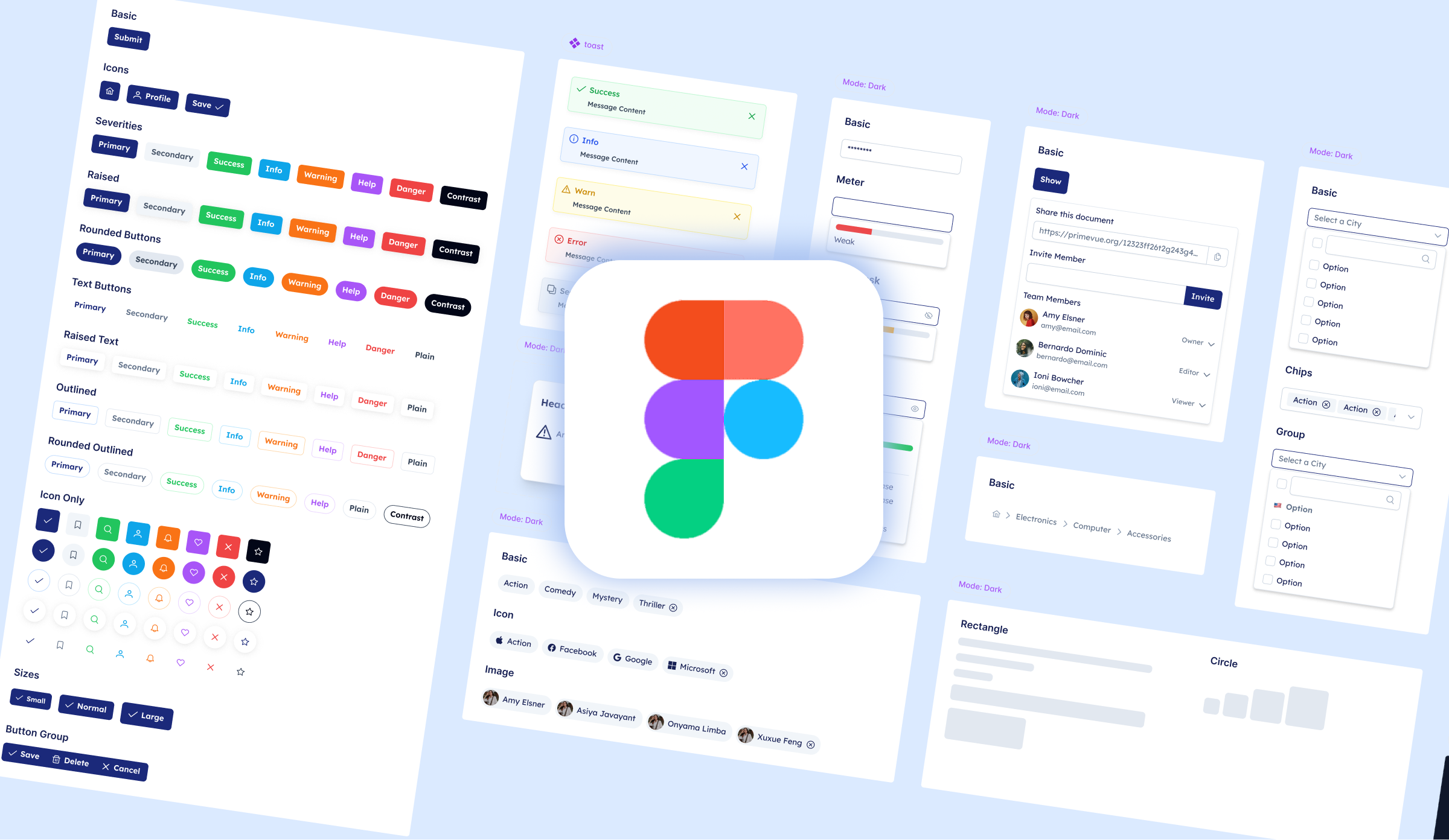
Built a code-ready design system
A PrimeNG-based system with real JSON tokens from Figma variables - 100+ components and 1,000+ variants that I customized, integrated, and maintained to keep 200+ screens consistent across products.
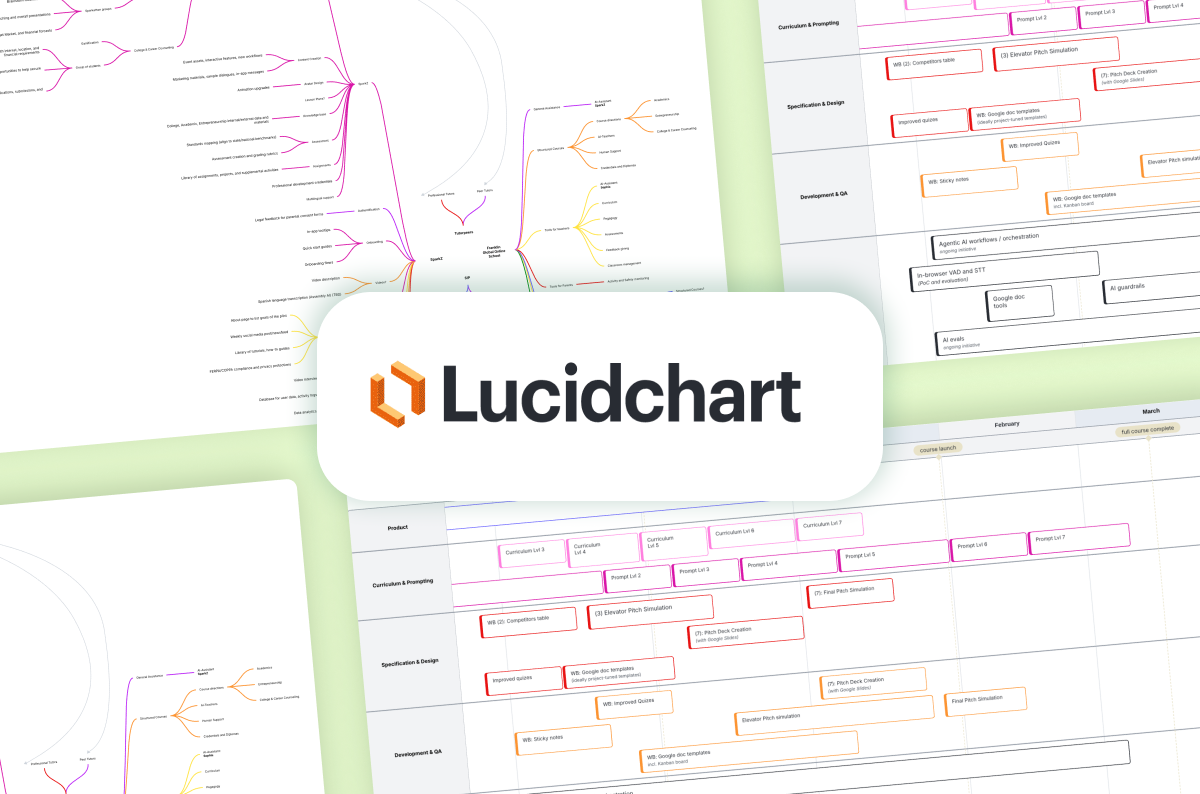
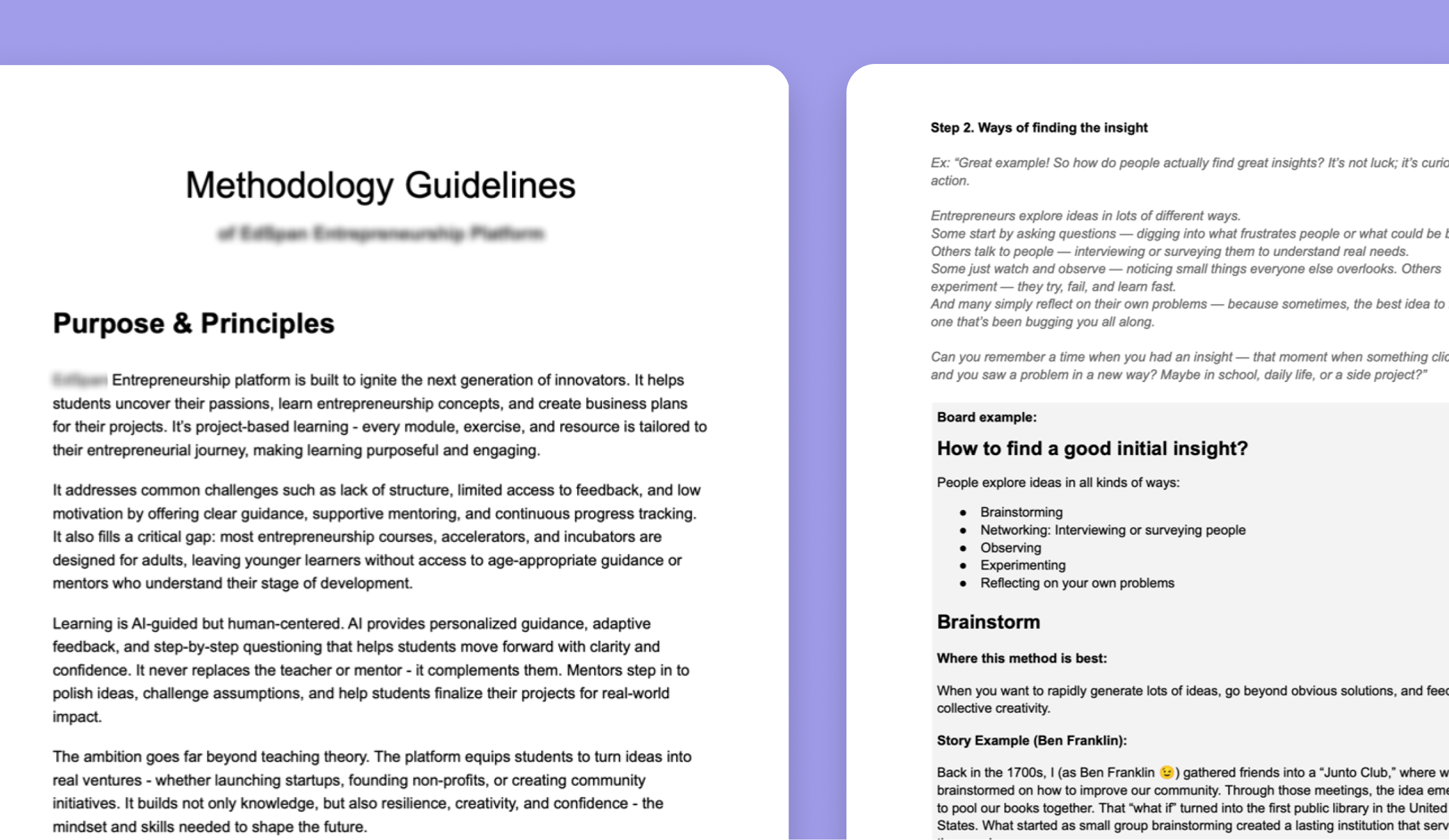
The first question was whether the idea should exist at all - so research started with the landscape. I mapped what students and teachers already had: plenty of tools existed, but each solved only a slice, and none did what this needed.
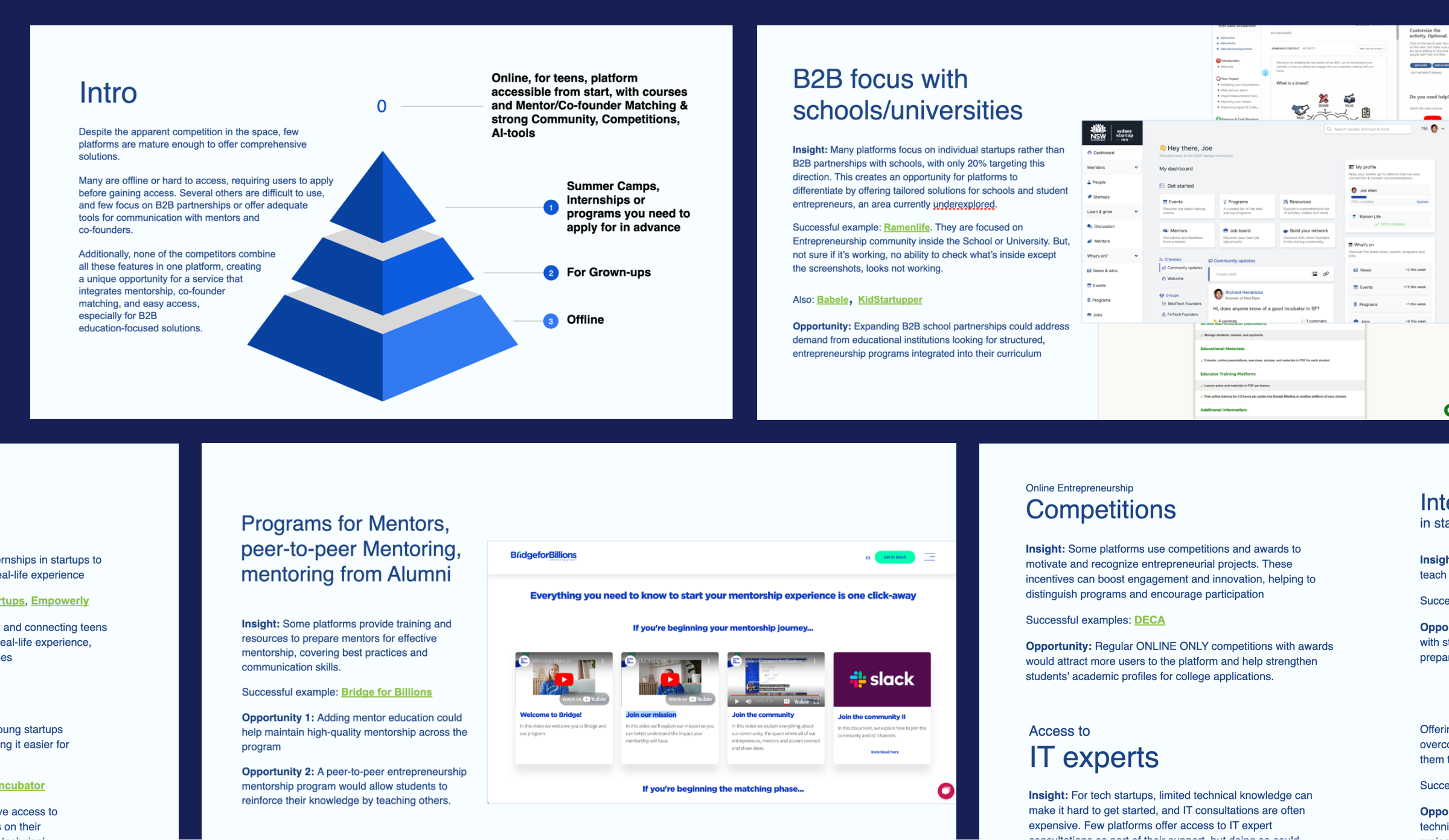
There were strong programs and strong tools - but nothing that guided a teenager from a raw idea to a validated one with a mentor that could actually teach. That was the gap we set out to fill.
With that gap clear, the next question was whether teenagers would actually want it. Before committing to the full build, we shipped the simplest possible version - just a chat with the 3D mentor - and put it in front of students: enough to see whether they'd engage with an AI teacher, and where to take the experience next.
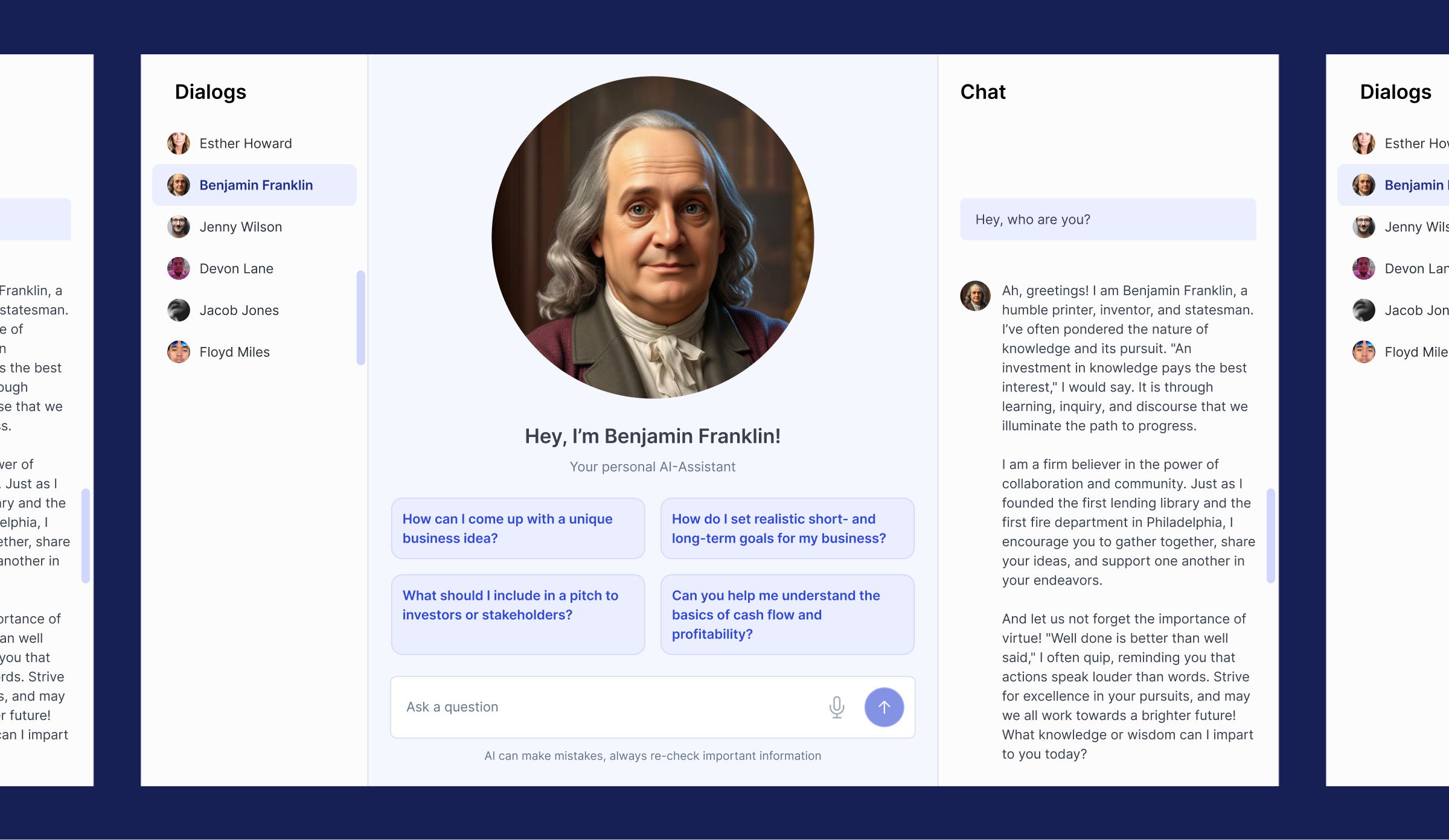
They did - so we went straight to the people who'd use it. Students tested the mentor in class and answered a survey; about 6 in 10 rated it 7-10, and what they valued most was how usable it felt: spoken and visual at once, clear, and quick with real feedback.
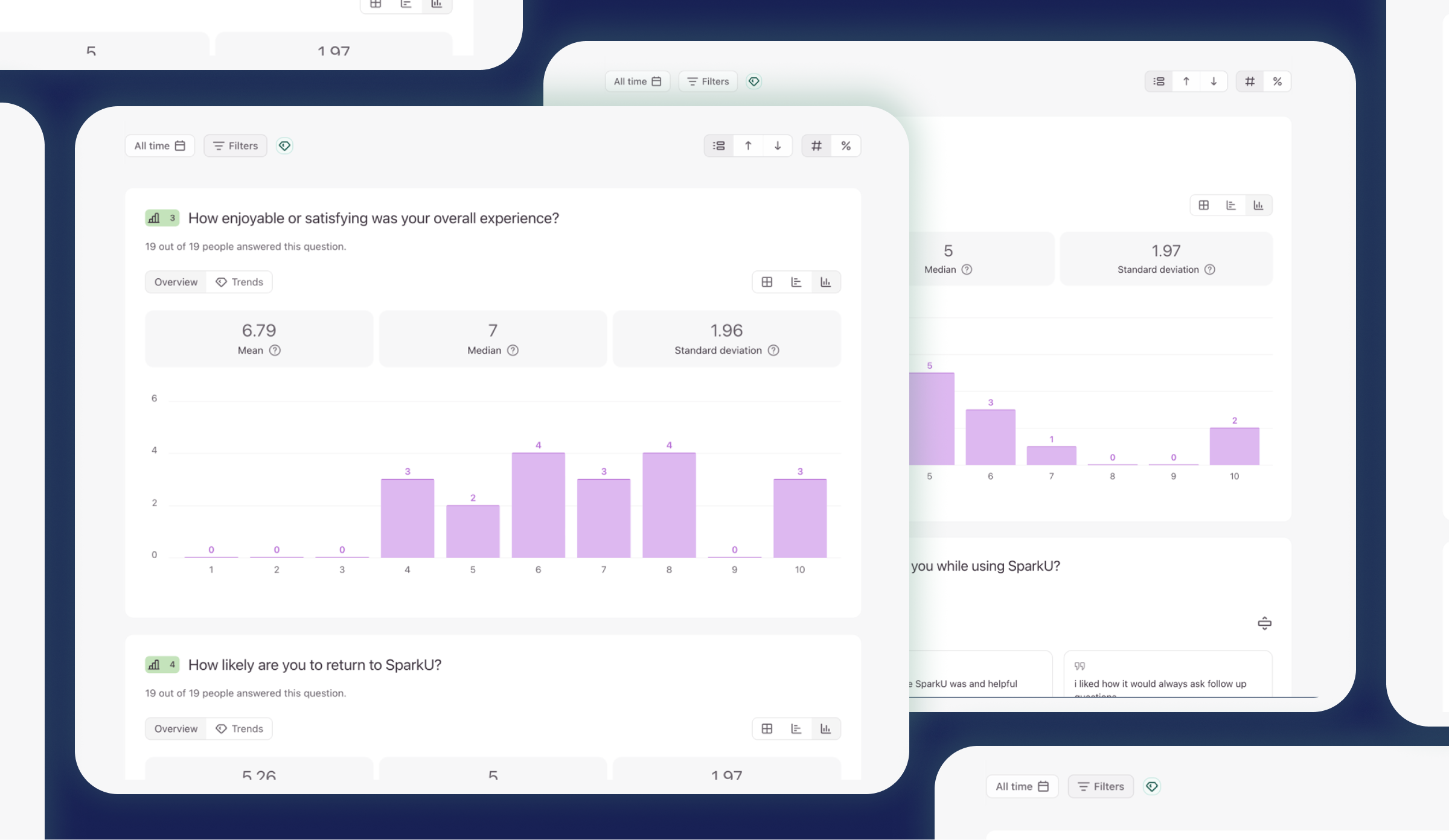
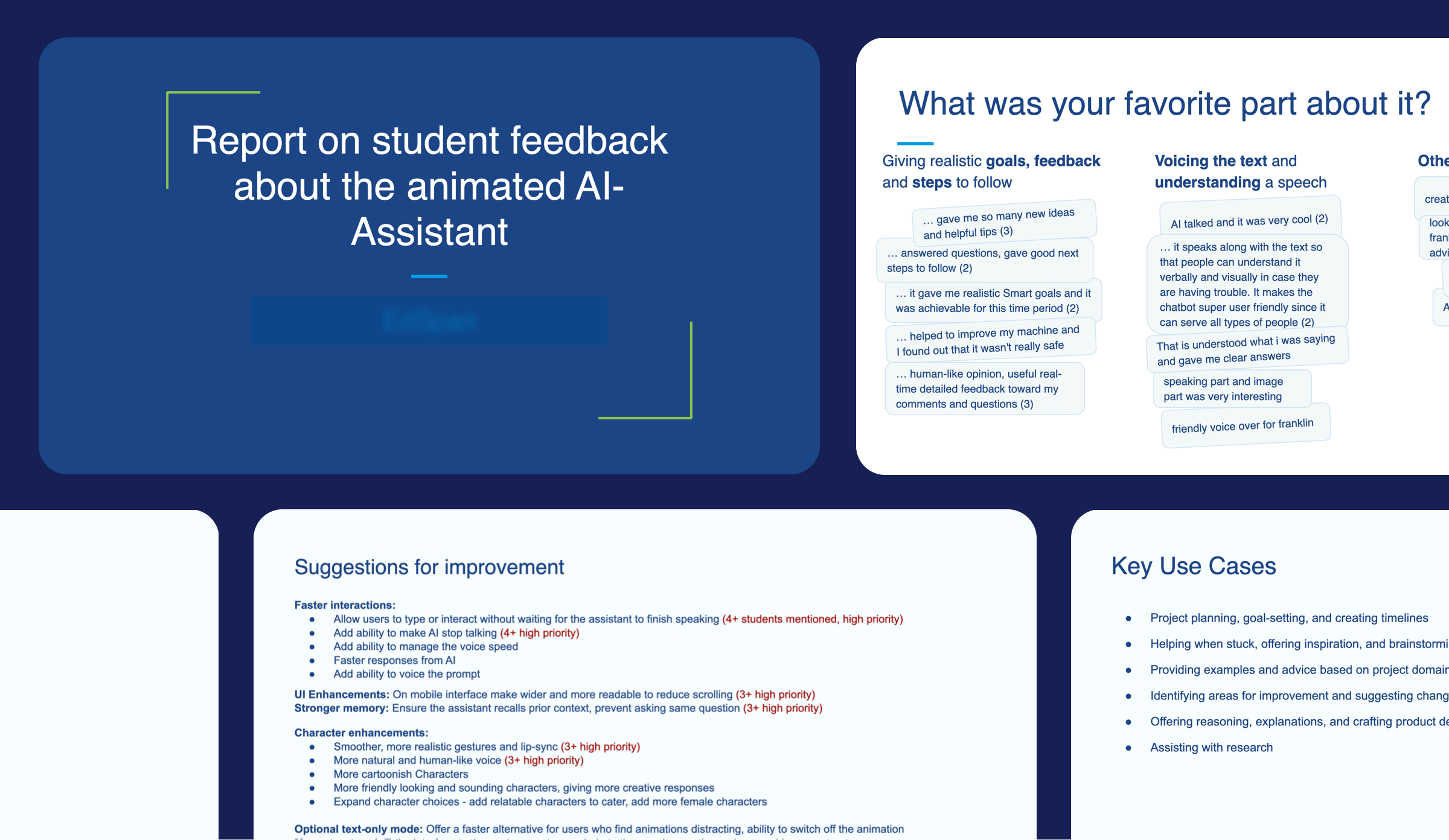
Product research gave us a clear direction for the product to come - shaped by the gap in the market, what teachers and school leaders needed, and how students actually responded to the concept. Everything that followed was built on that.
That direction still had to become a plan. I ran brainstorming sessions with entrepreneurship teachers and school leaders to pin down requirements - what the program had to teach, and where it broke down in class - and turned them into a prioritised roadmap the whole team built against, tying features to real classroom needs and delivery dates.
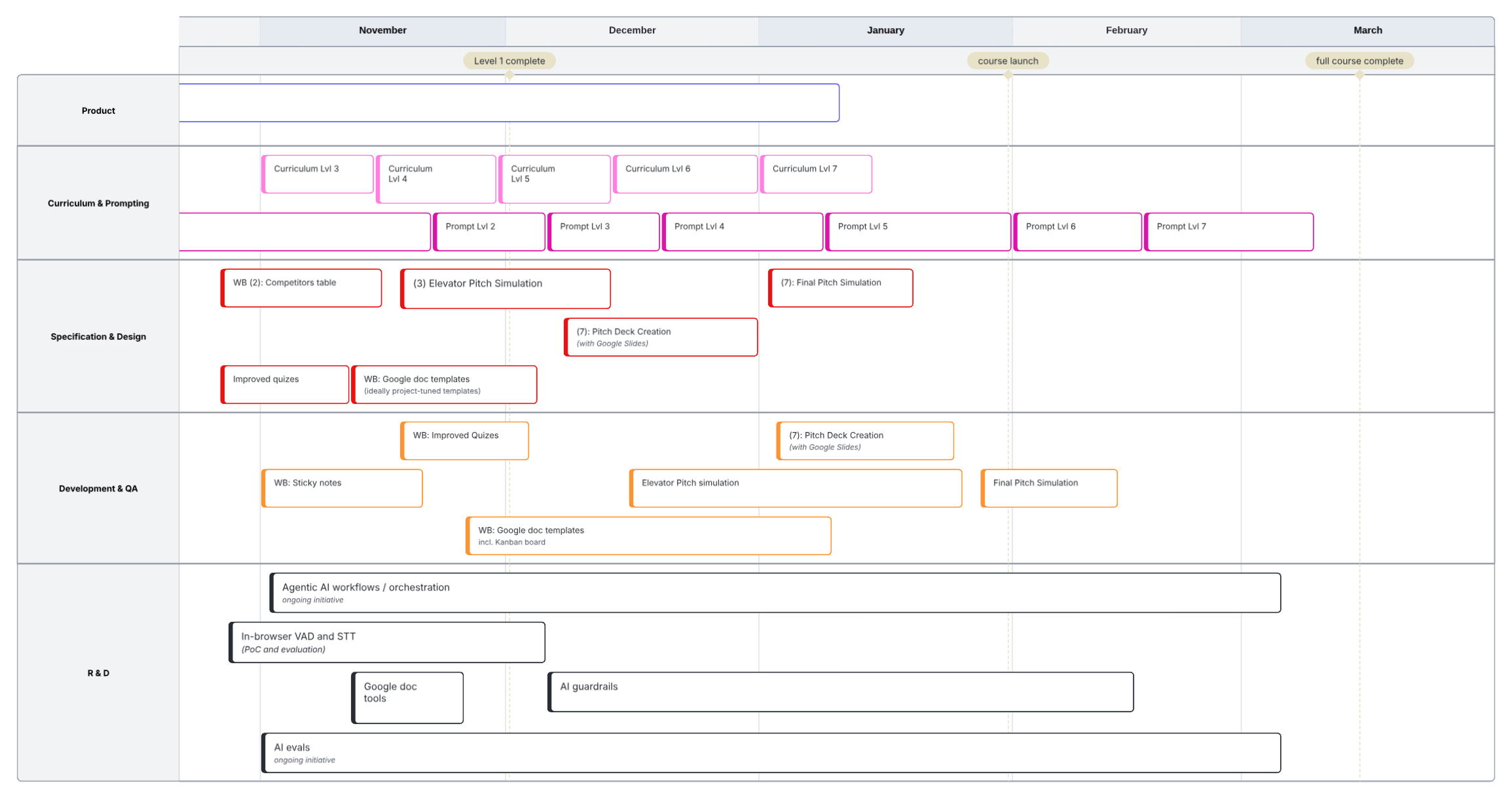
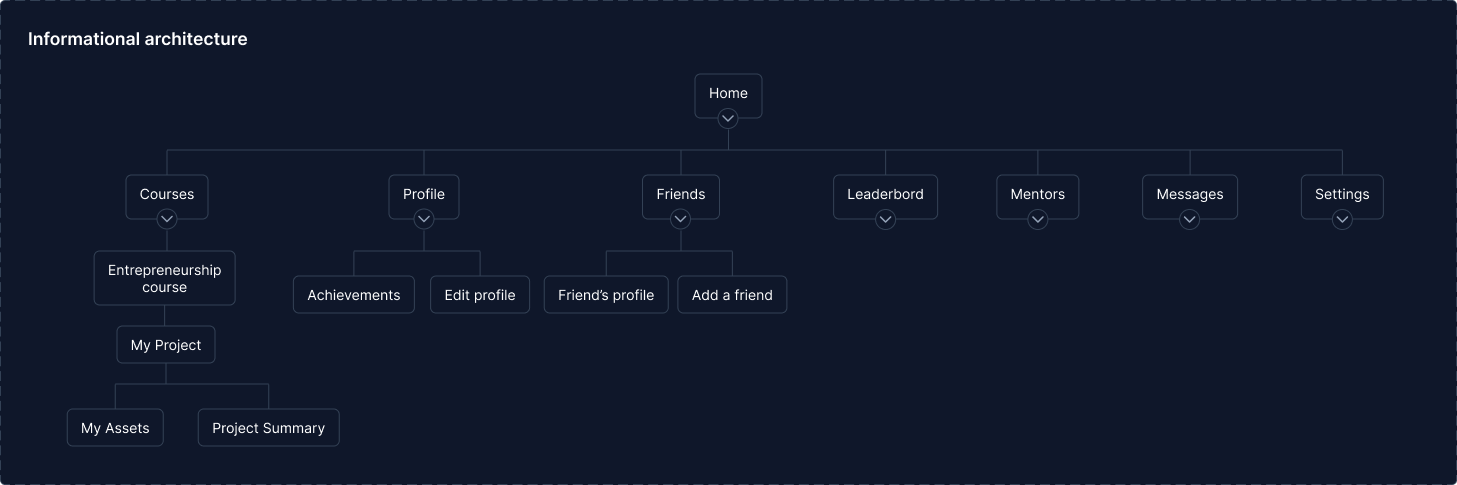
With the roadmap set, the product needed a shape. I mapped it into a site map - every surface, how they nest, and where the AI mentor sits in the flow - and it became the backbone the team built against, so features slotted into a coherent structure instead of piling up as disconnected screens.
Designing User experience
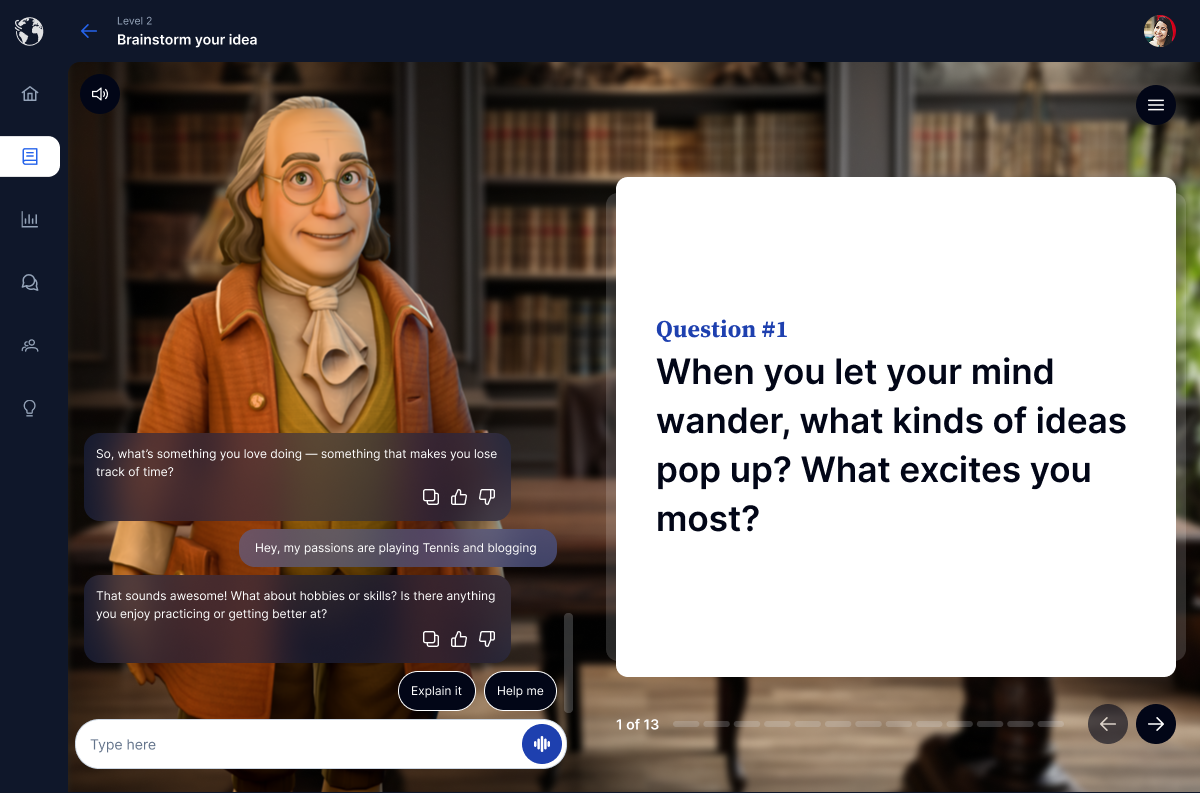
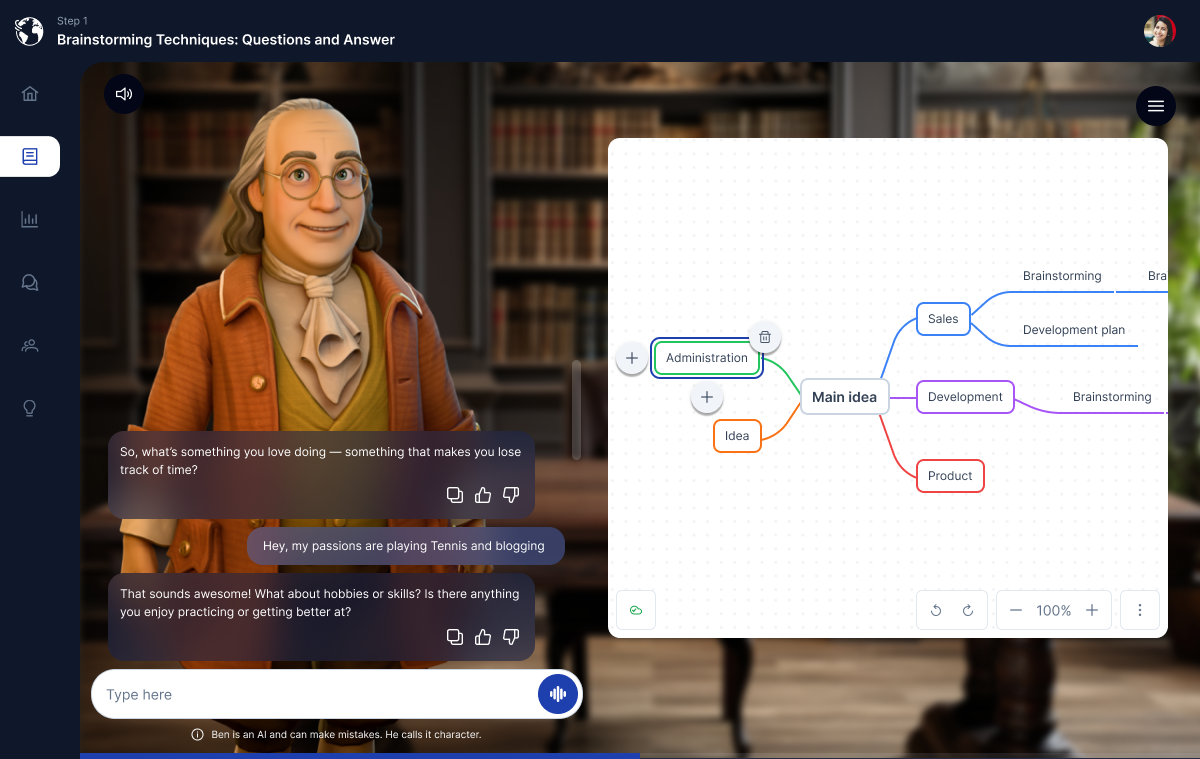
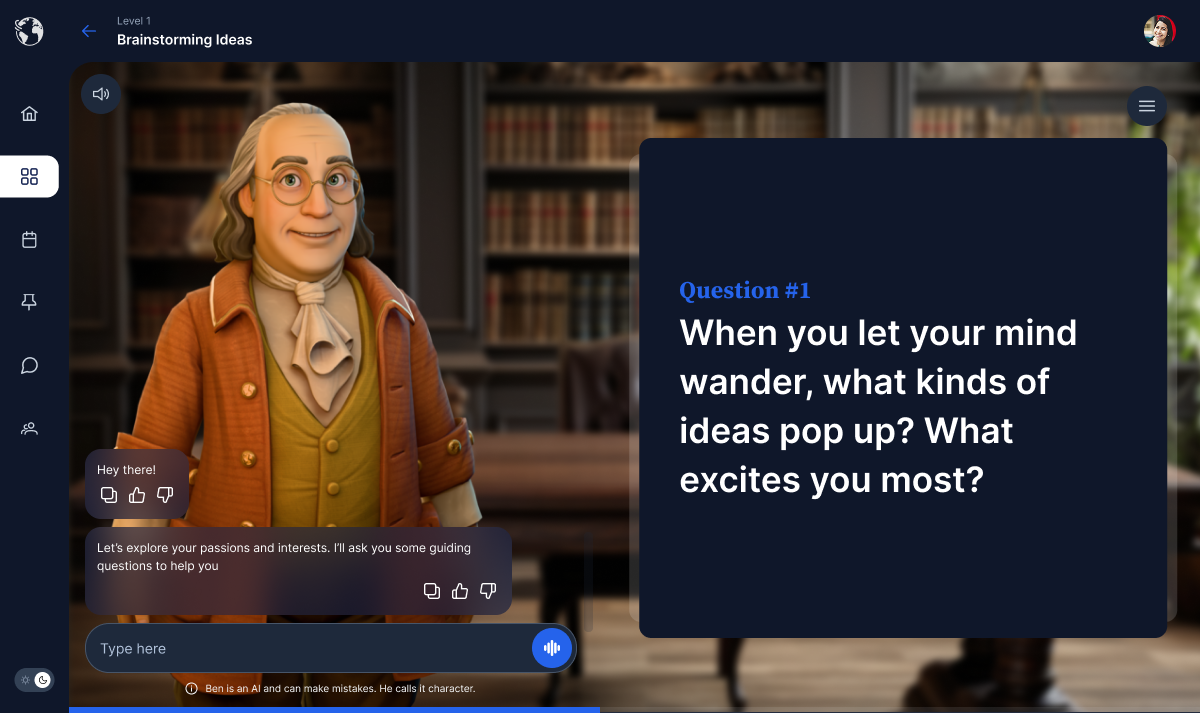
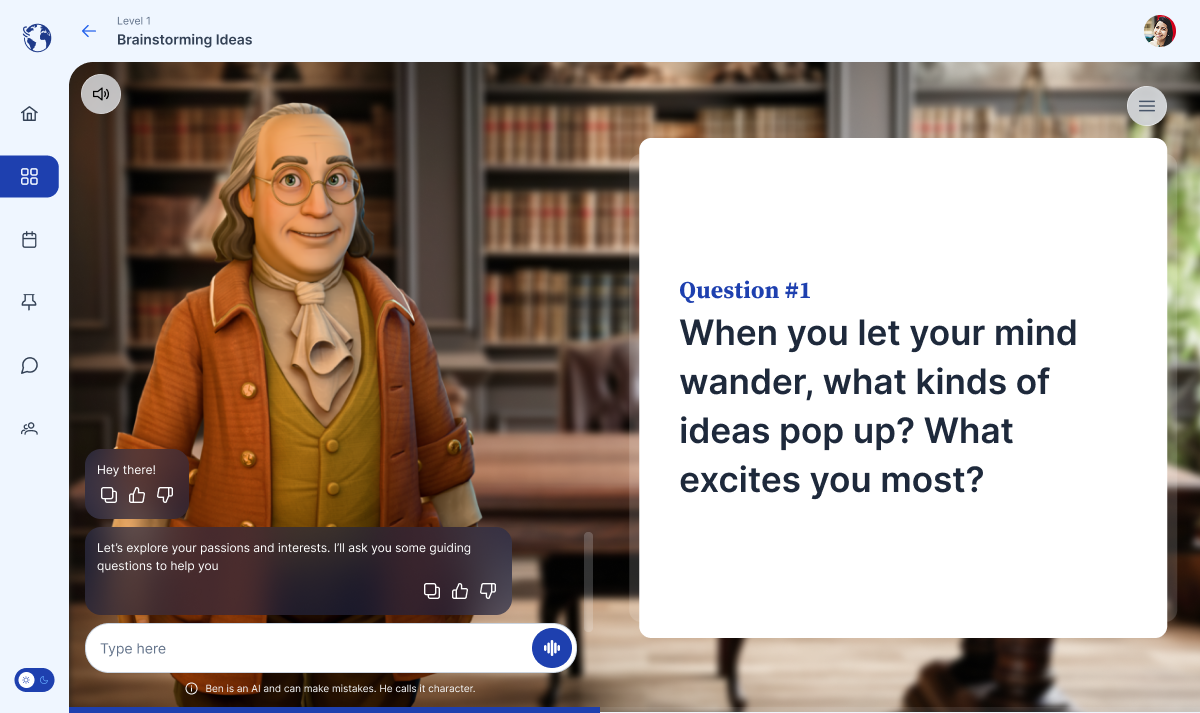
Talk to the 3D animated talking mentor guiding the thinking and learning.
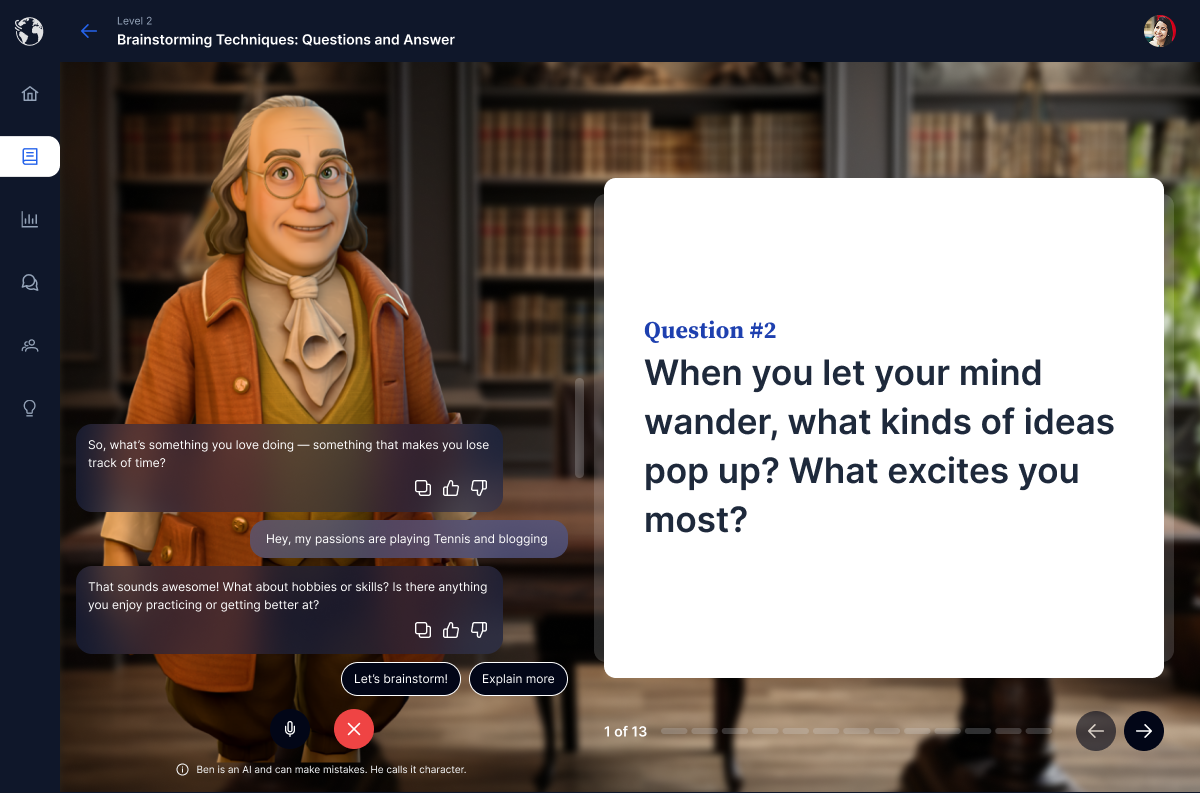
Spoken and visual at once, so students can practice talking in addition to writing.
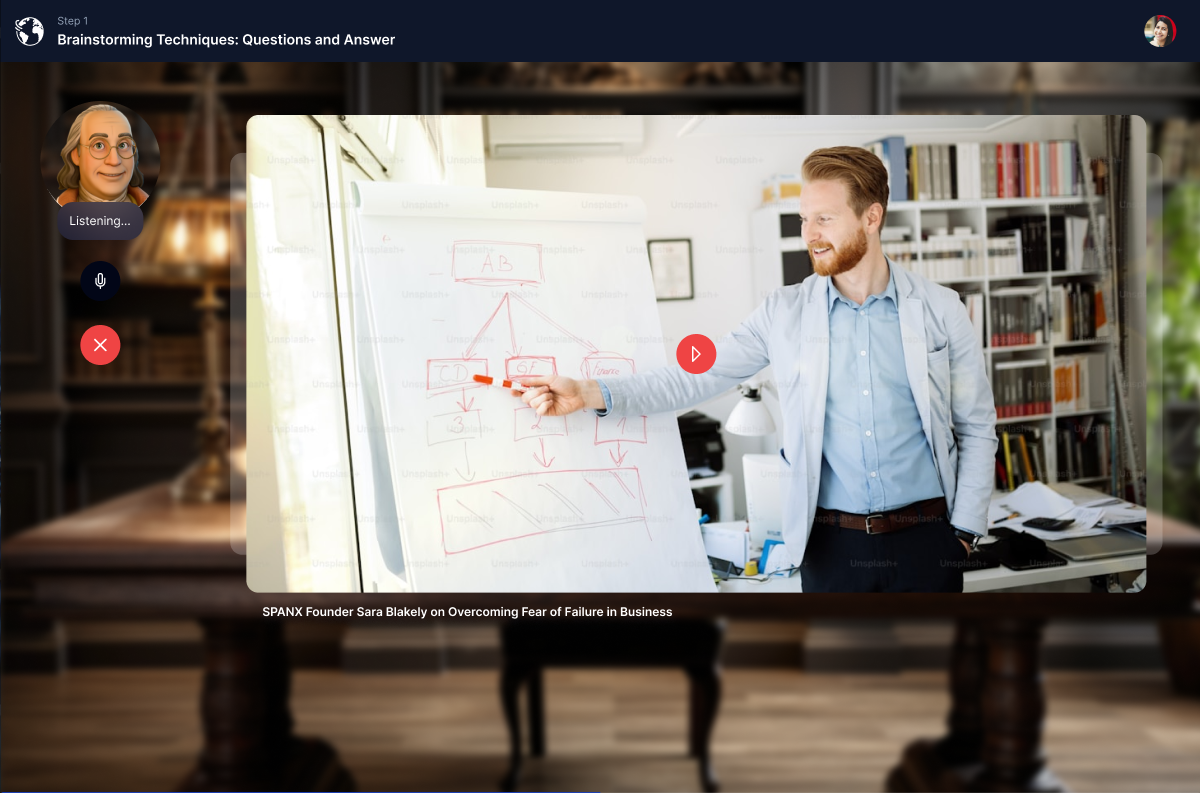
Watch a lesson and work along on the board beside it.
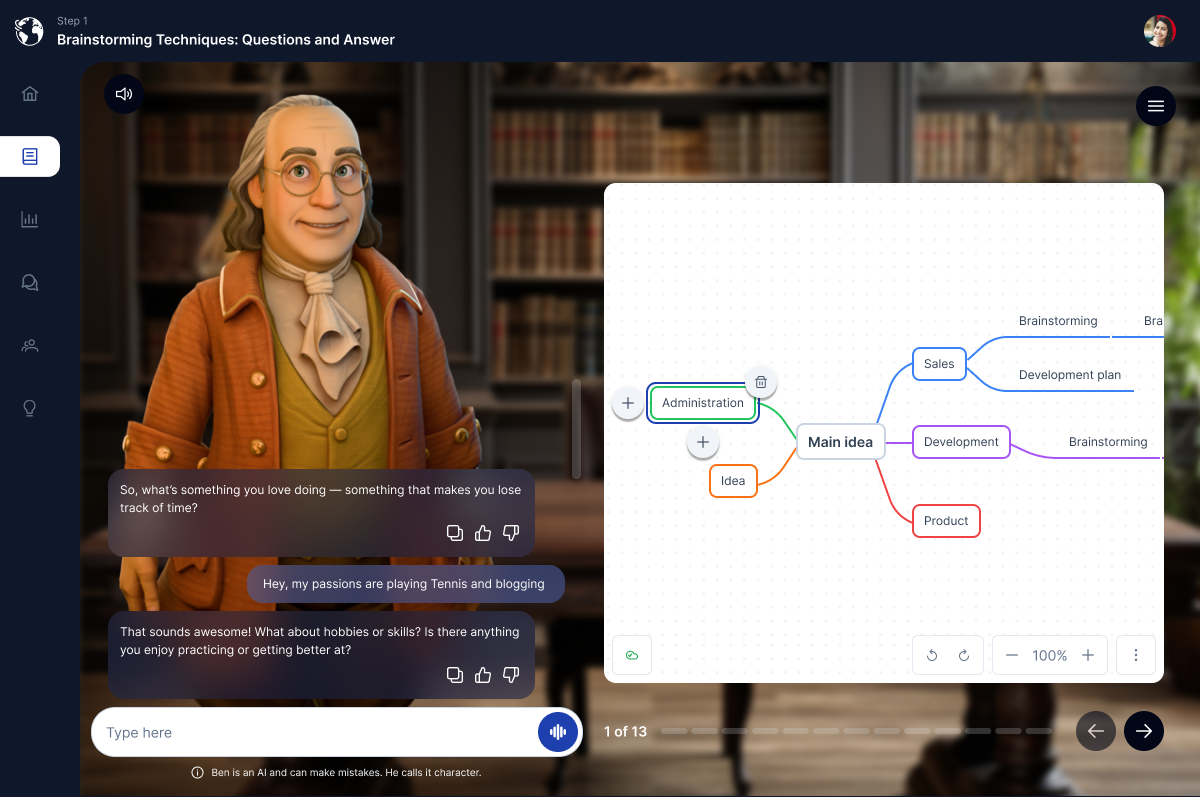
Sketch and validate ideas on a live canvas, together with the mentor.
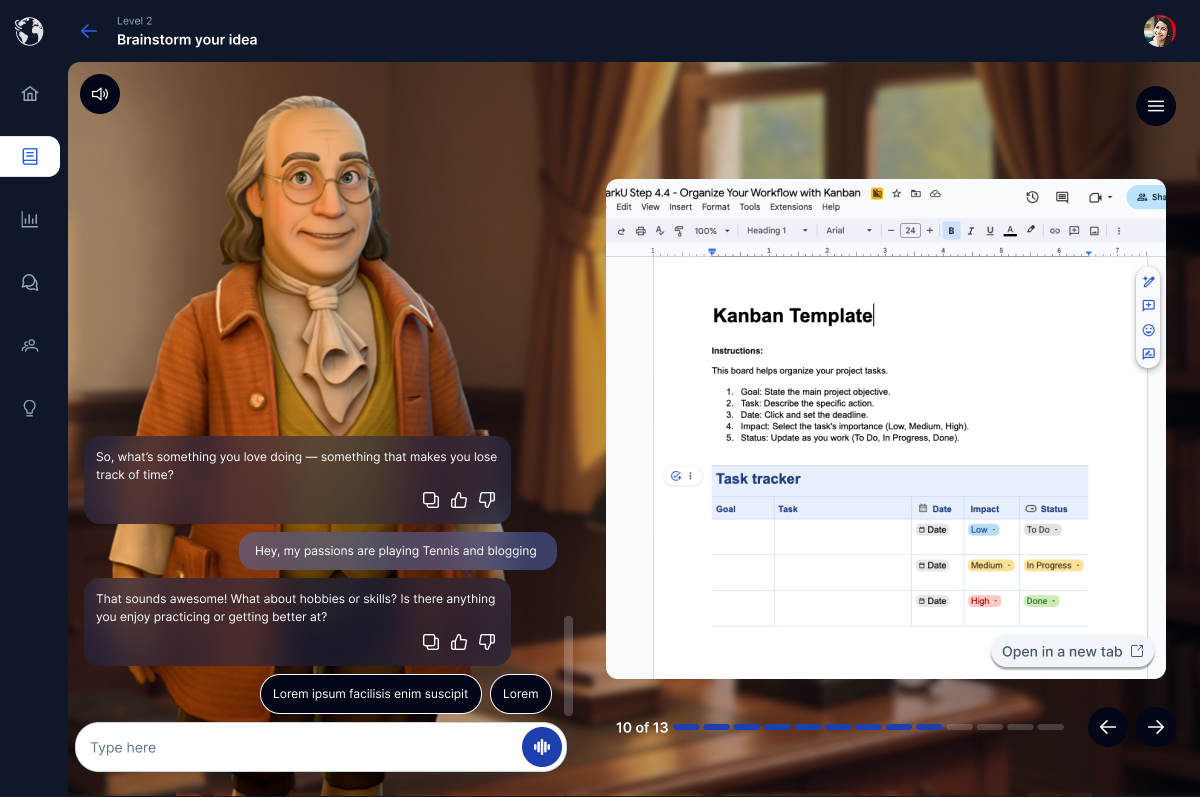
Draft and edit real documents in an embedded Google Doc, synced right beside the mentor.
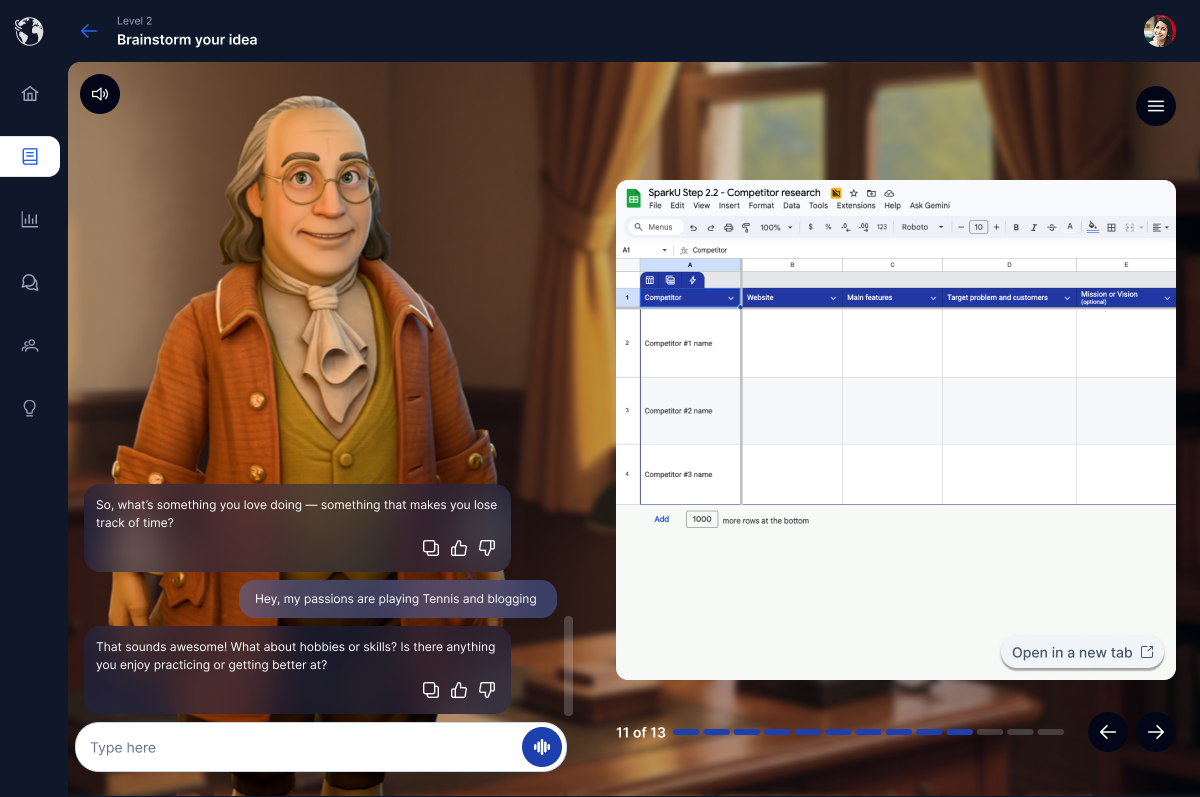
Build and edit real spreadsheets in an embedded Google Sheet, right beside the mentor.
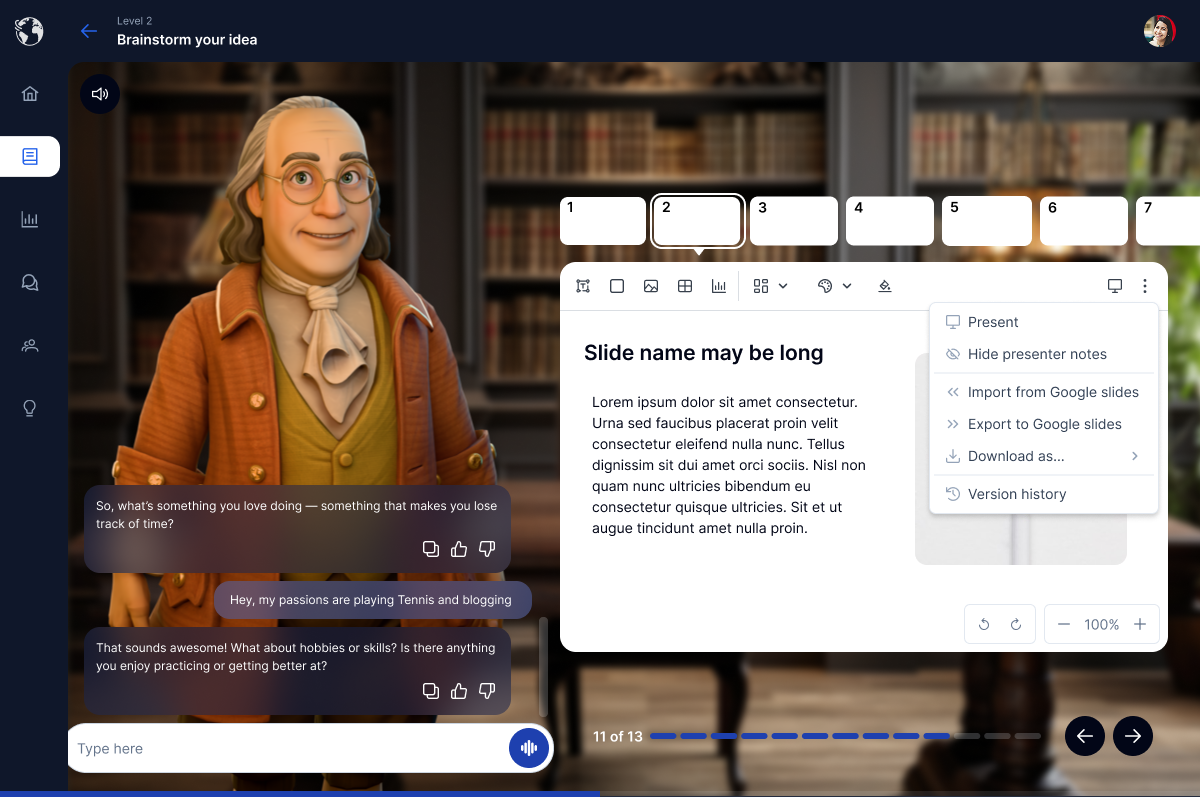
Put a pitch together in an embedded Google Slides deck, without leaving the lesson.
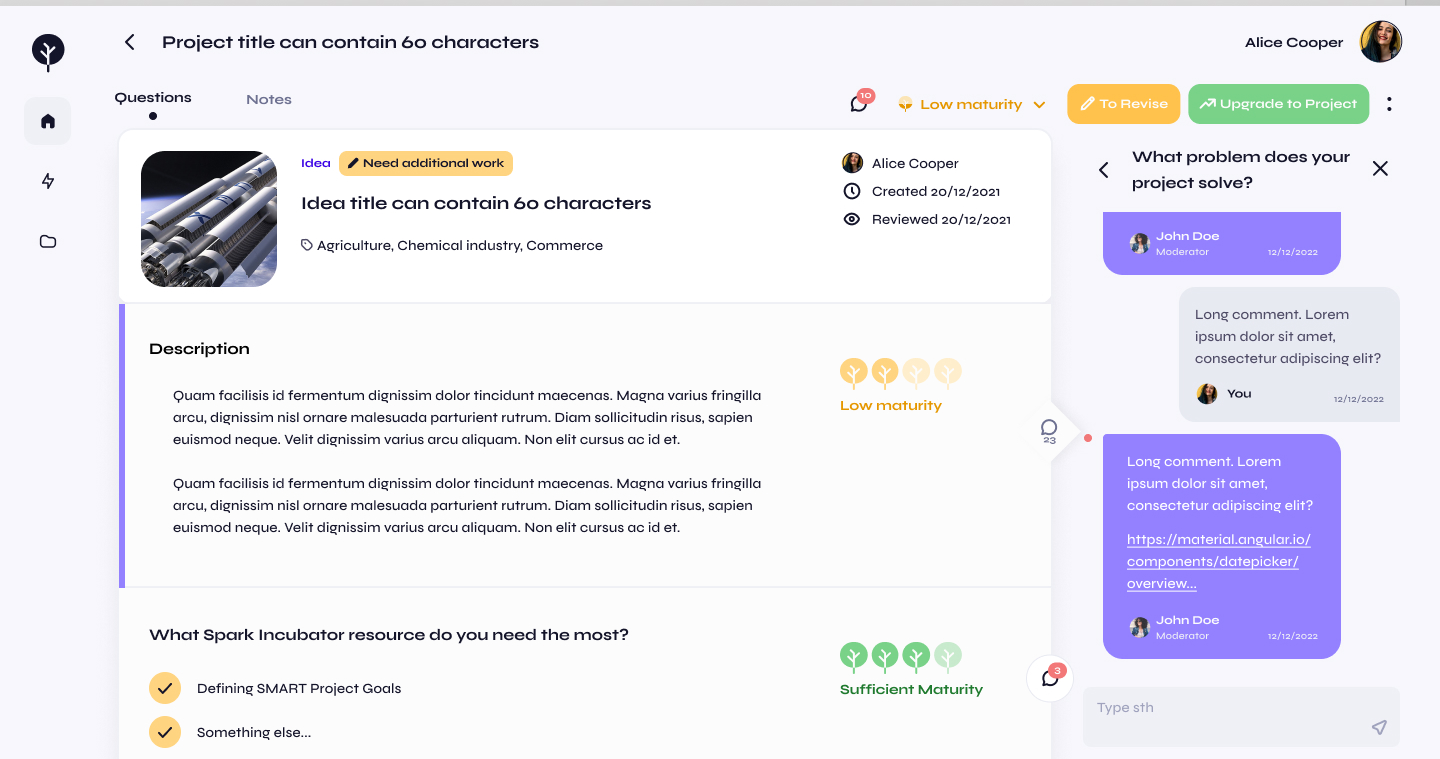
Course & project page
The structure that turns a course into a real project - where a student moves step by step from a raw idea to something they can pitch.
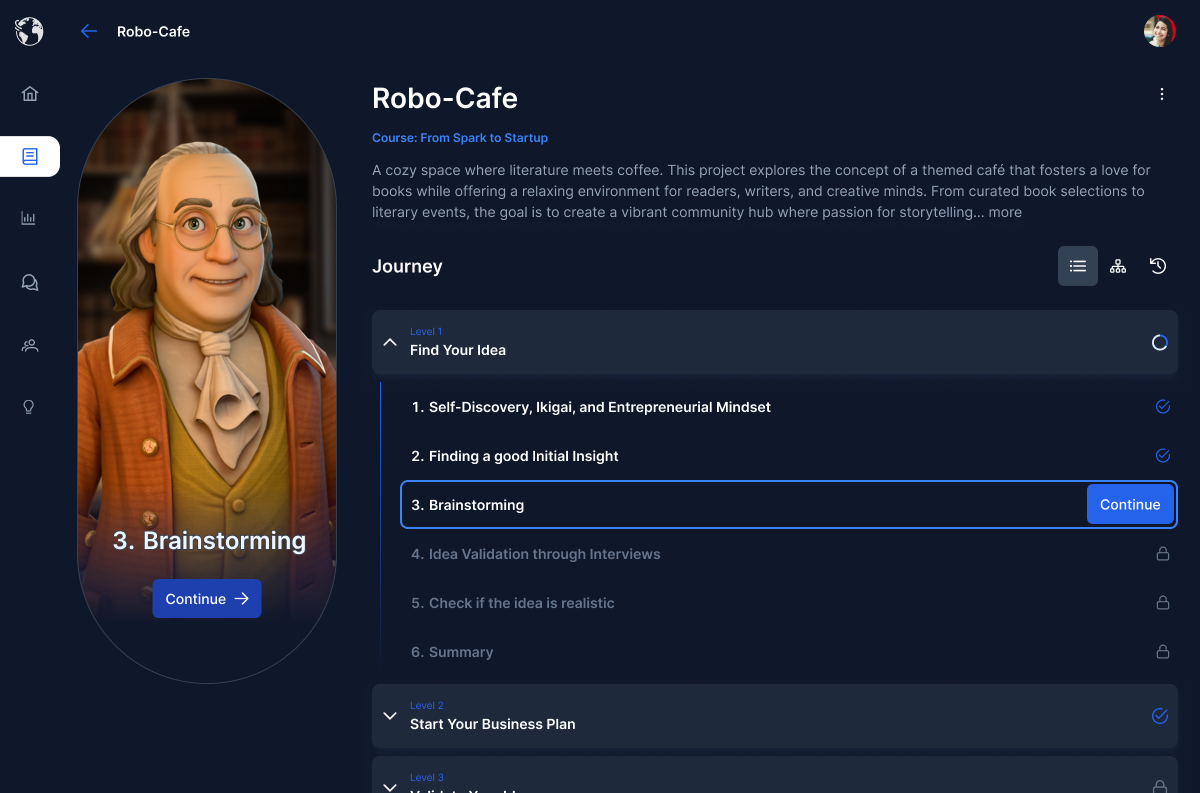
Where a student's whole venture lives - idea, progress, and next steps in one place.
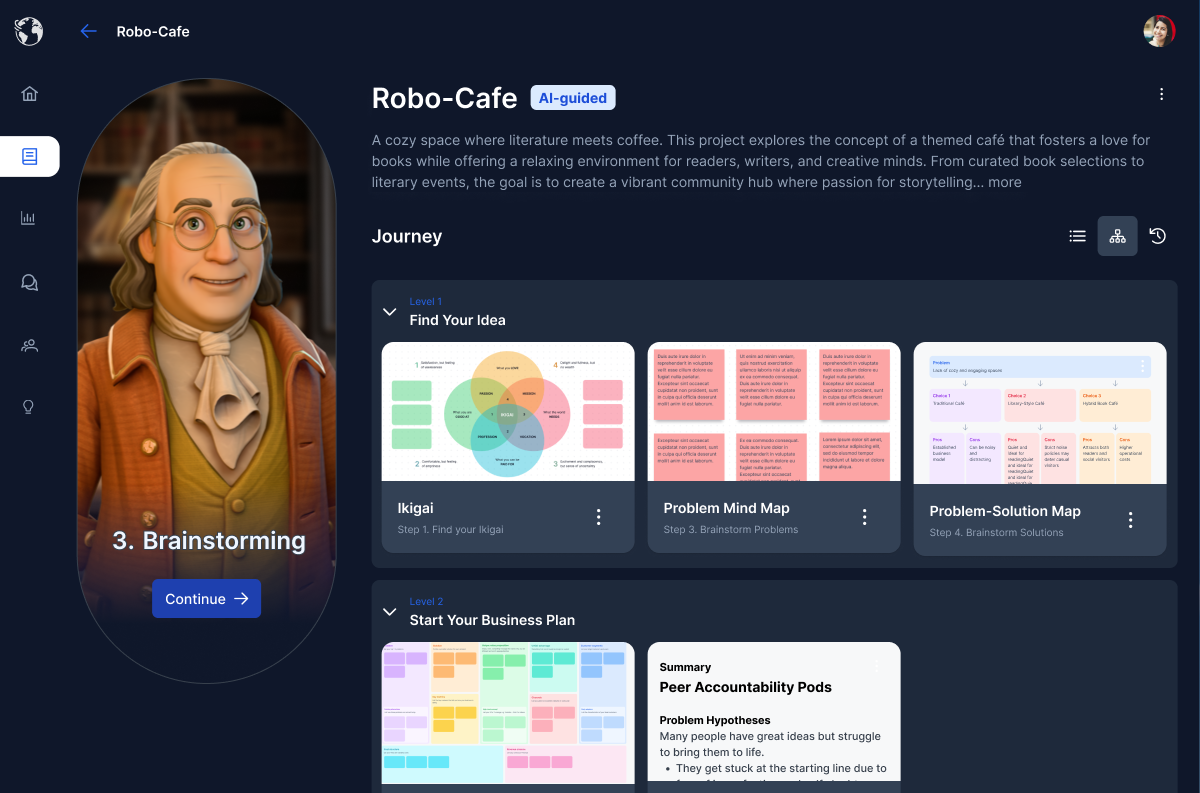
Every file, draft, and deliverable for a venture, kept together in one place.
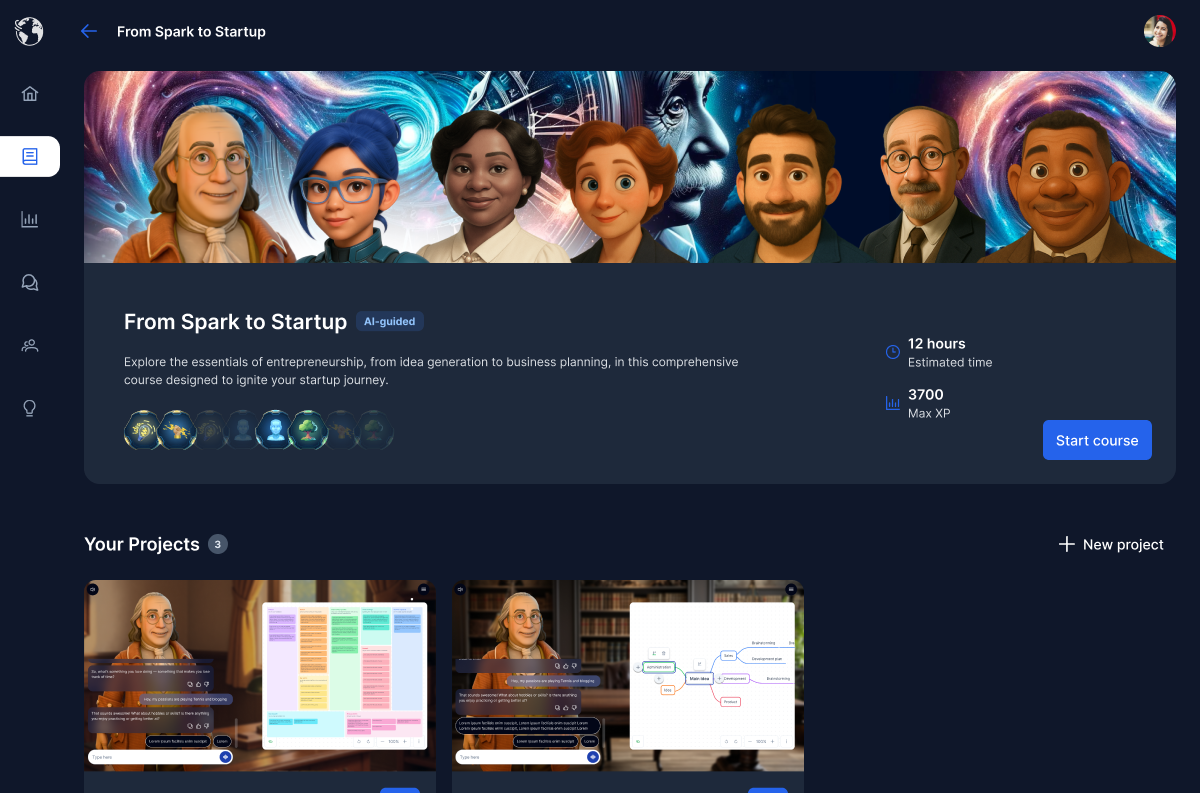
Every course, streak, and next step in one glance.
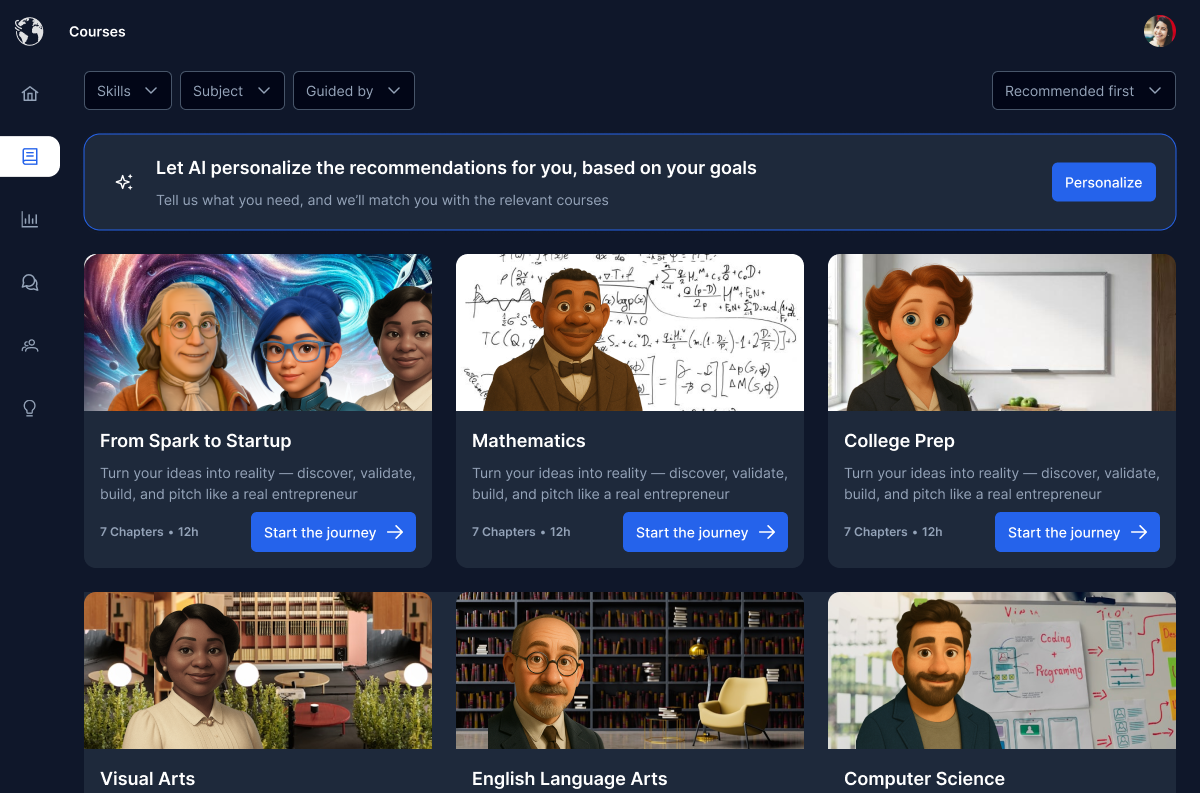
Browse and pick from the full catalogue of courses to work through.
Profile & Gamification
The home and profile, plus the progress systems that keep teenagers coming back.
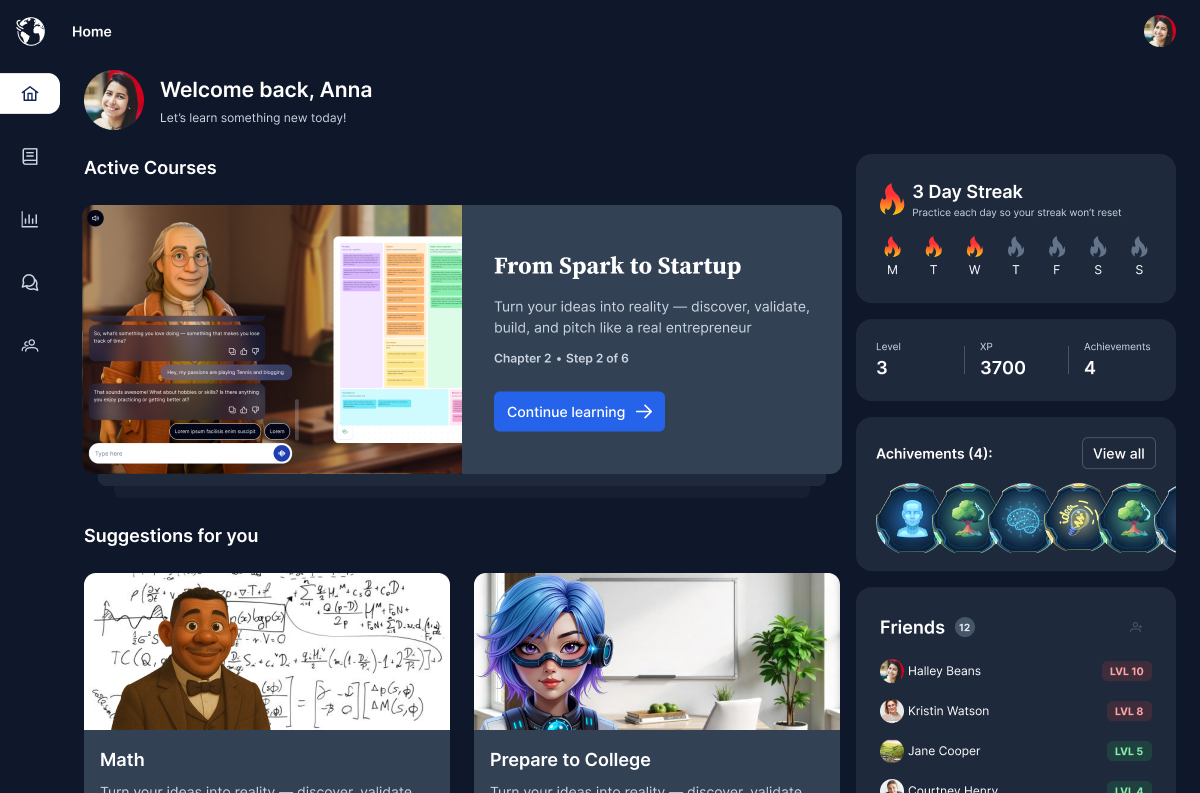
The student's home - progress, streaks, and next steps across every course and project at a glance.
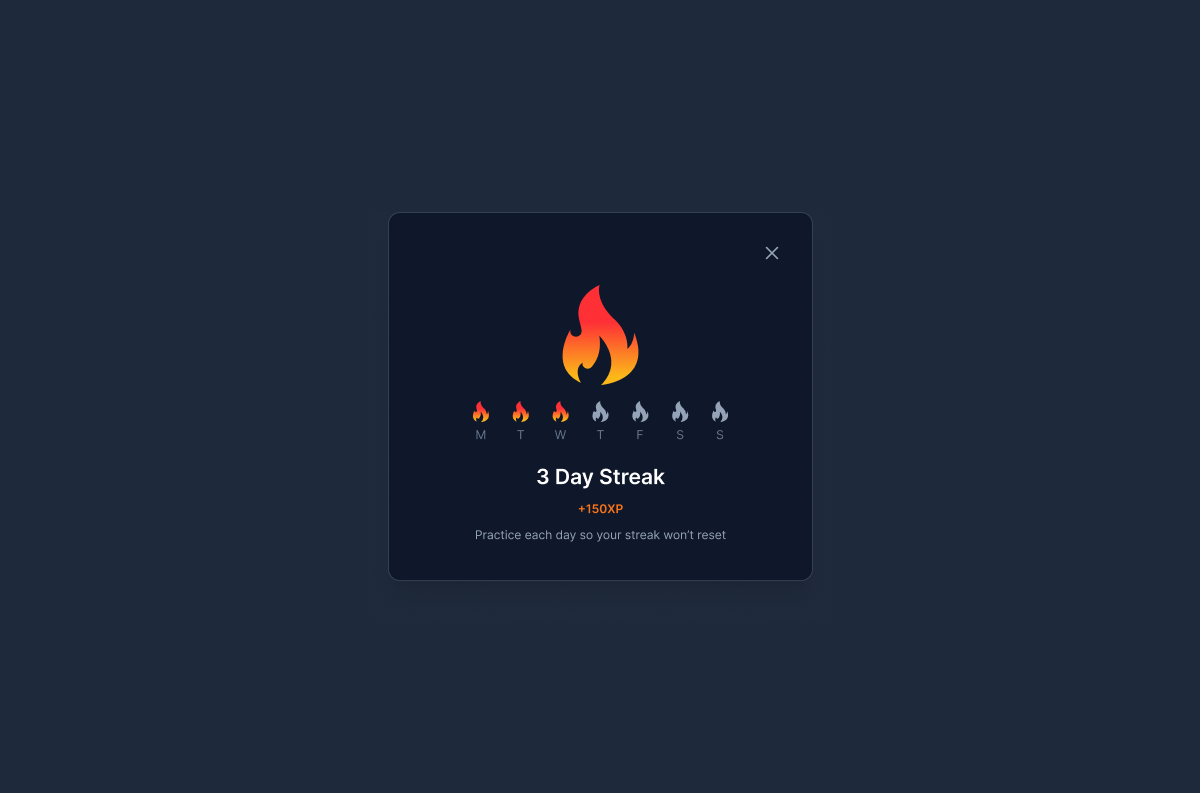
Daily streaks that reward showing up and keep momentum going.
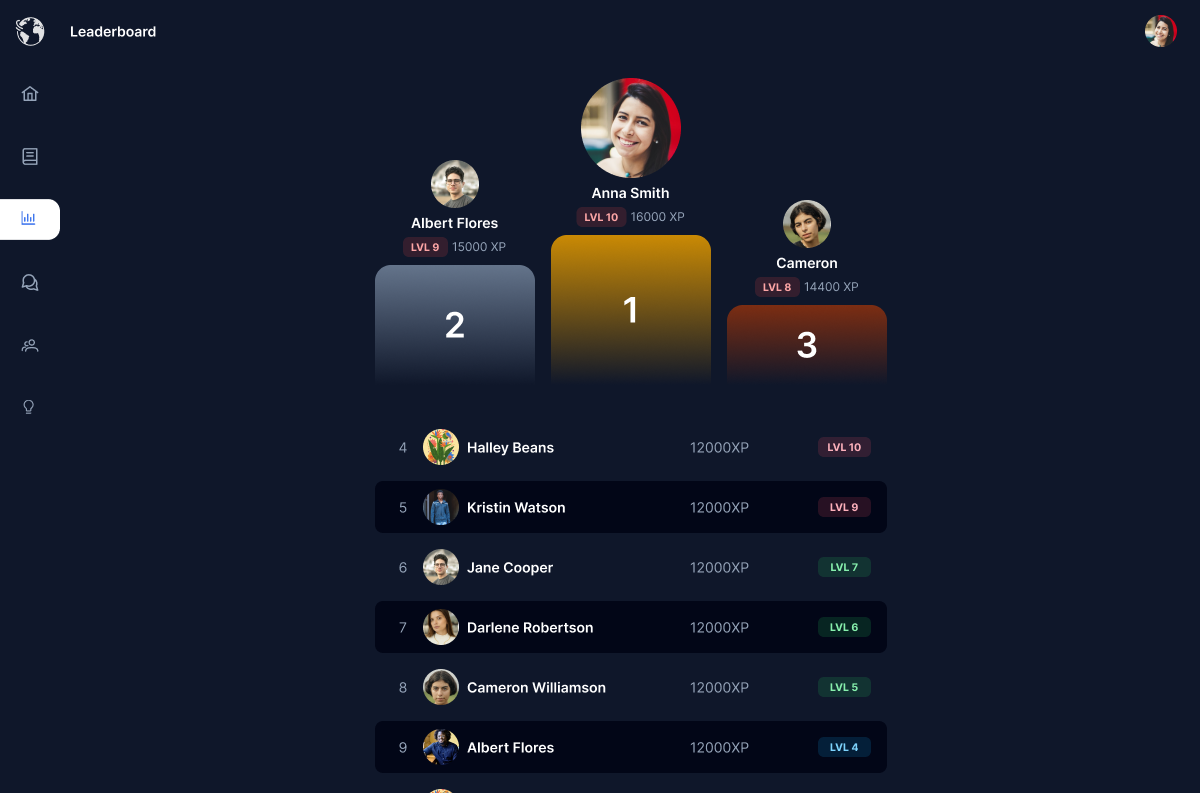
Levels and a leaderboard that turn progress into friendly competition.
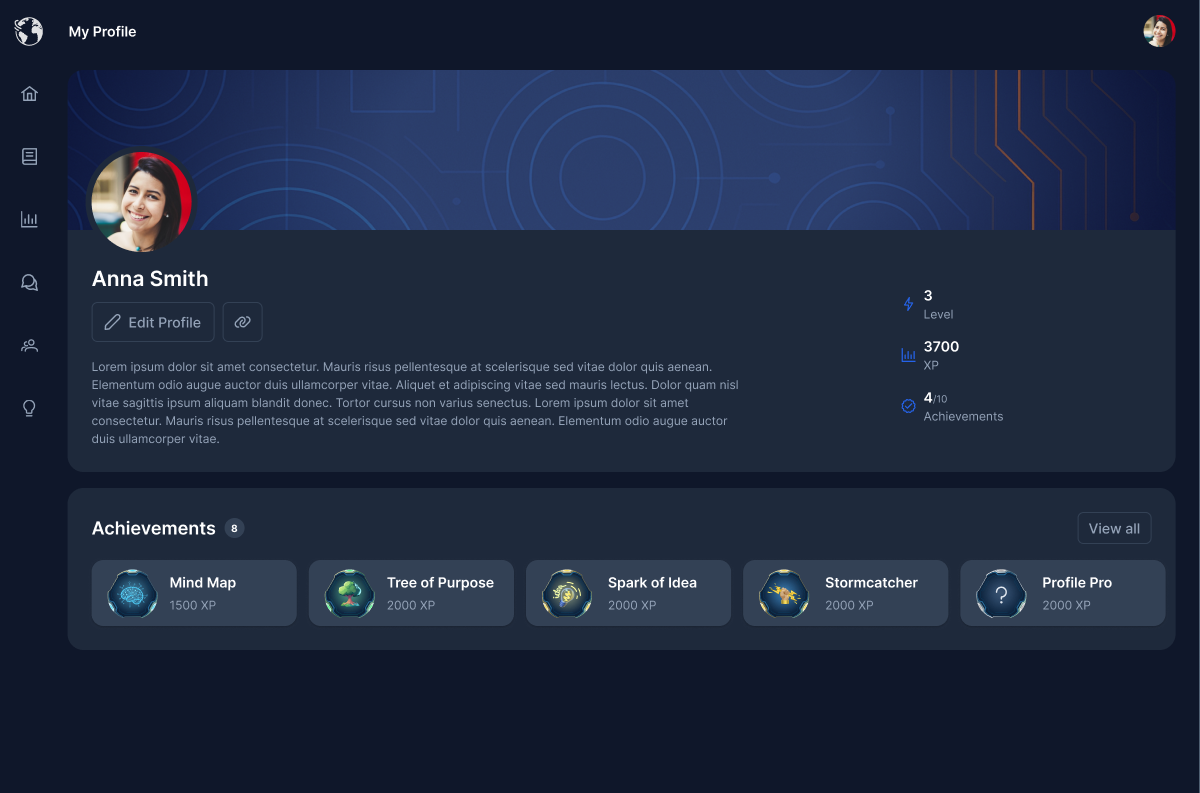
Profile, streaks, and settings in one place.
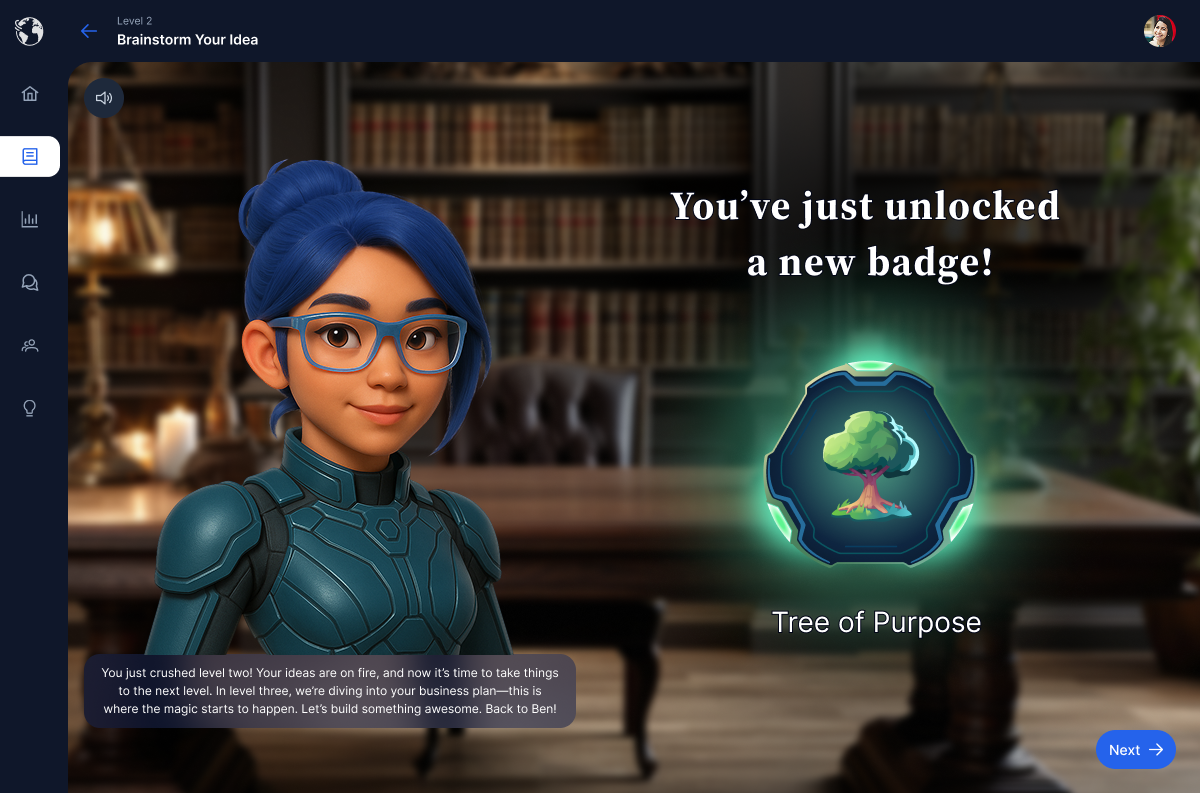
Unlockable achievements that mark real milestones in a student's journey.
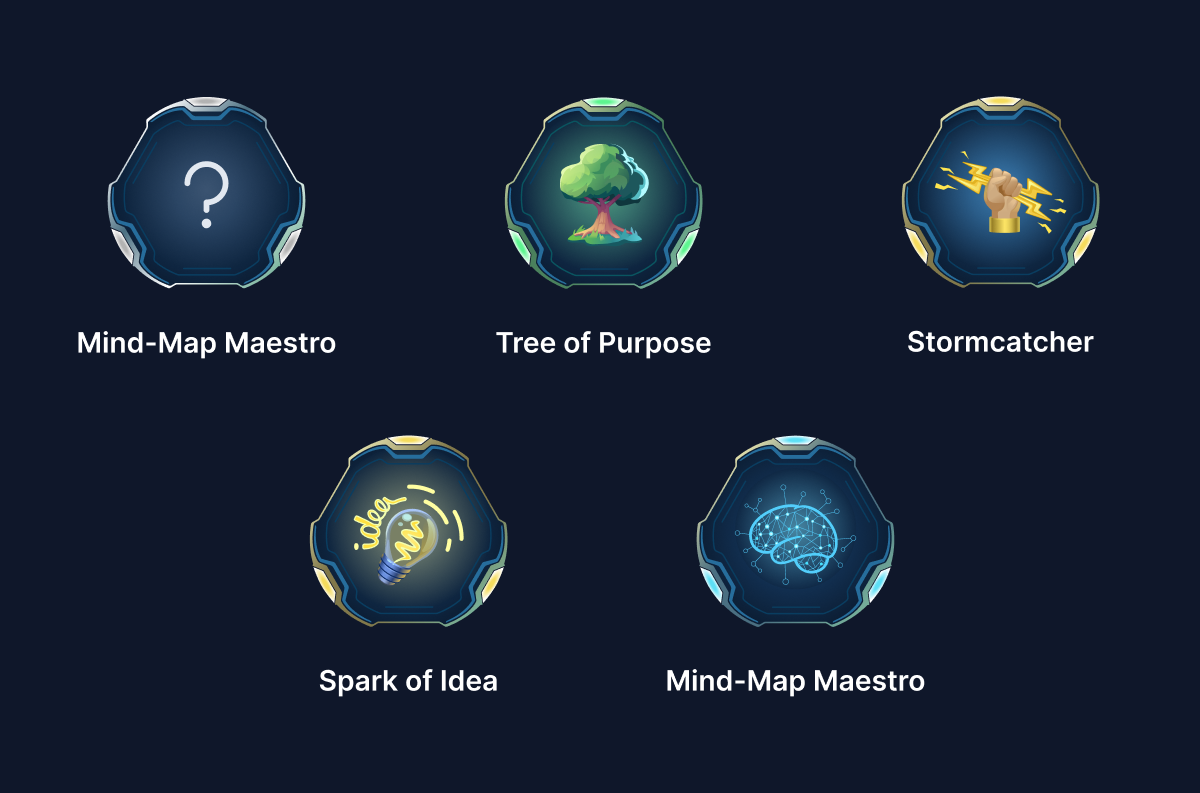
The full set of achievements to earn, laid out in one place.
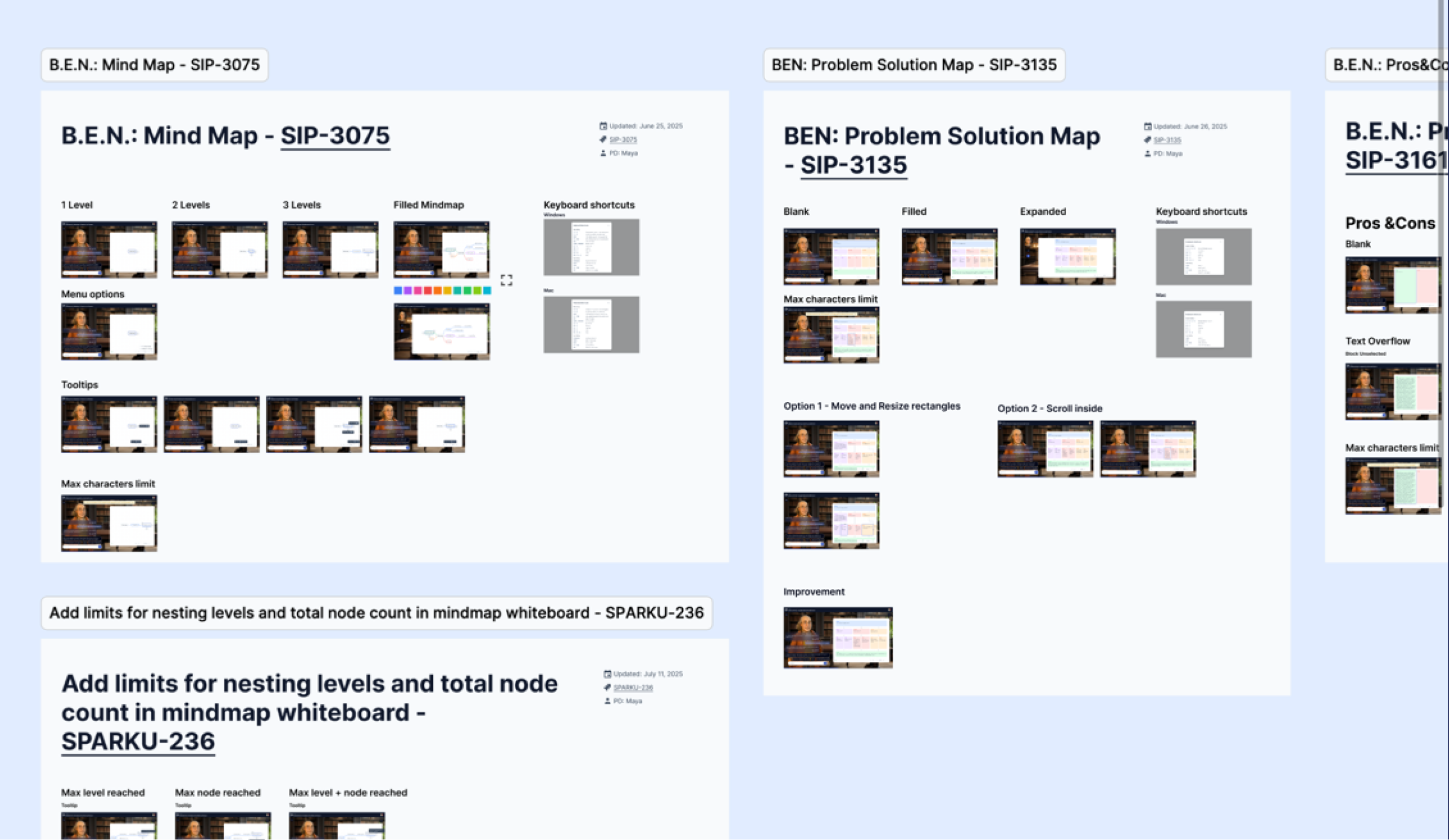
As the screens multiplied and the team grew, the work itself needed structure. I set up how we organised Figma - files, pages, and naming - along with the review and handoff rhythm, so five designers could move fast in parallel.
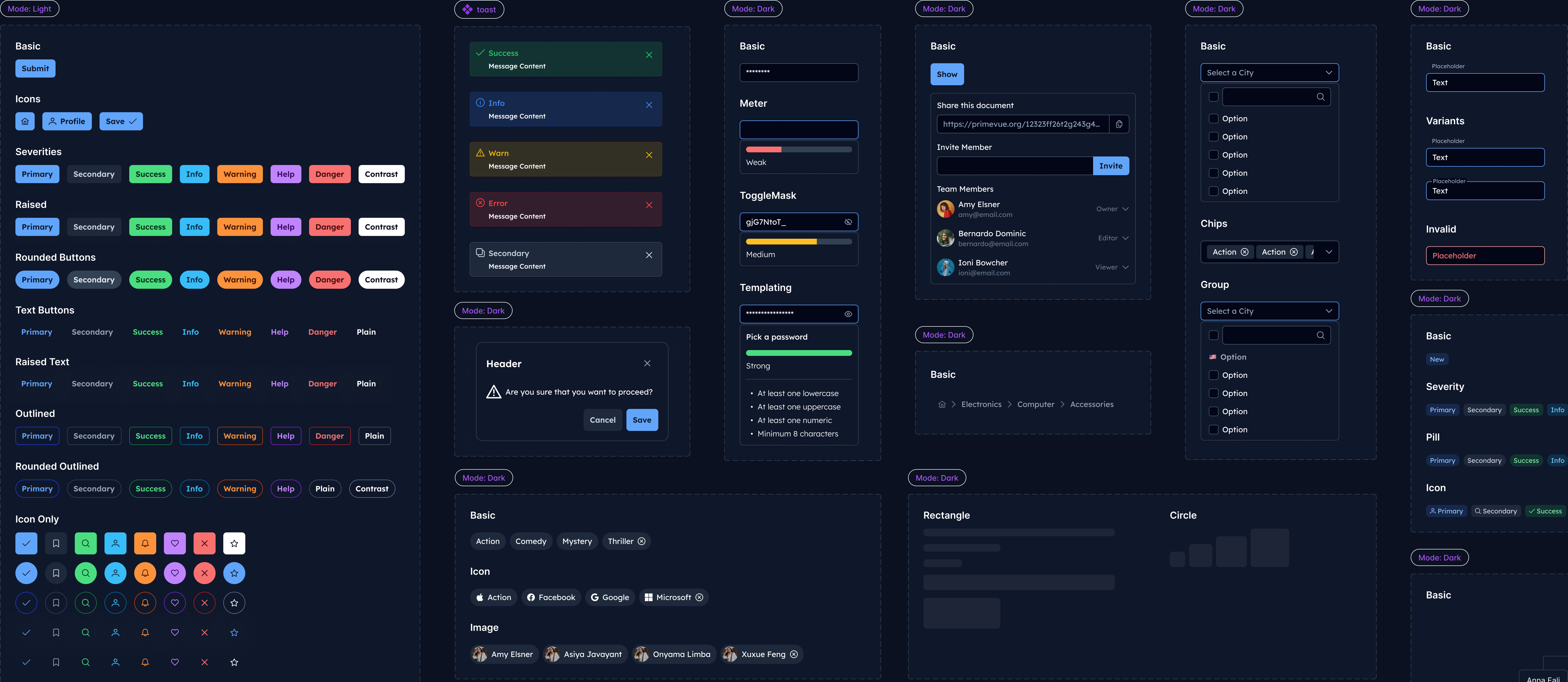
With five designers building in parallel, the system had to keep them consistent and align with what engineering would ship. I based it on PrimeNG, the team's front-end framework, so every component in Figma mapped one-to-one to one in code - 100+ components and 1000+ variants covering buttons, states, messages, and forms. Design and build stayed in sync, with nothing to reinterpret between them.
Light & dark themes
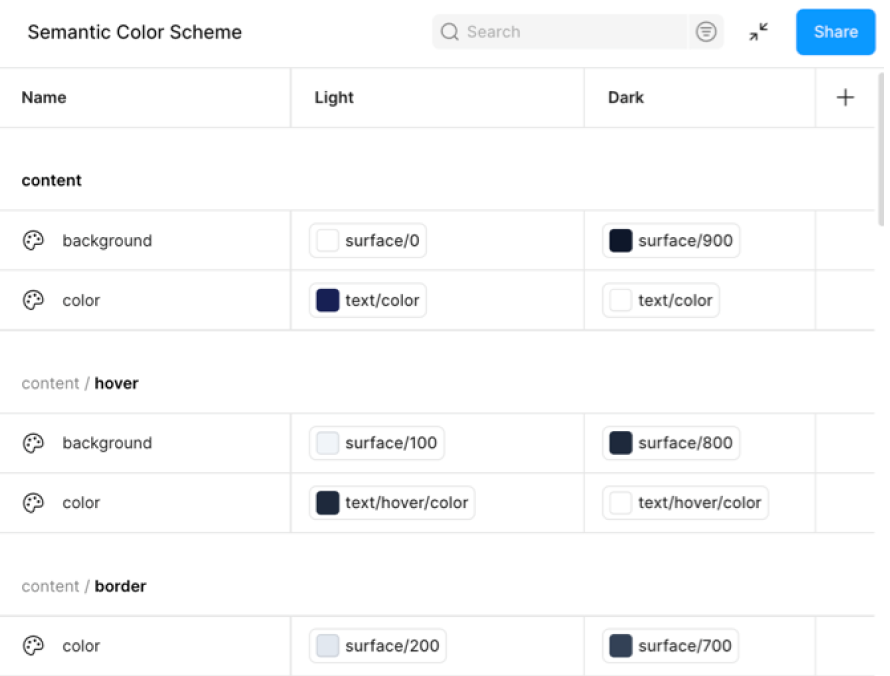
A semantic colour scheme built as Figma variables, with Light and Dark mapped from one source - so the whole product themes in either mode without touching a component.
 LightDark
Drag to compare
And that was possible due to...
Figma Design tokens exportable via JSON
A single token source, shared by Figma and the codebase, so a value changed once propagates everywhere - no drift between design and build.
We shipped the prototype on time and ran the experiment with students. From here, the platform was ready to reach students both in class and on their own.
increased NPS, from the first concept test to the prototype
students participated in testing of concept & working prototype
The problems with no playbook shaped the work the most - and left me with the lessons I carry into every project since.
No precedent to copy
Lead before you have the map
No one had paired an AI mentor with a full entrepreneurship program, and both 3D and AI were new to the team. The job wasn't knowing every detail - it was defining what the product should be, hiring the right specialists, and steering the process through the ambiguity.
A design system from scratch would sink the timeline
Don't build what you can adapt
Basing the system on PrimeNG and customizing it, instead of building our own, cut developer cost almost in half and kept five designers consistent - the leverage came from adapting a proven base, not reinventing one.
Early style calls ran on opinion
Let the people who'll use it decide
Surveying students settled real decisions early - like the mentor style they'd actually engage with - so the team stopped debating taste in the room and designed against what teenagers told us.
We protected the AI flow at the expense of navigation
Never sacrifice the fundamentals
Skipping proper navigation to keep the AI experience clean became the product's biggest usability issue. However novel the surface, the basics aren't negotiable.