Spark Incubator - where a raw student idea becomes a real project
I led the design of the review loop that takes a teenager's idea from a questionnaire to a validated project, for five user roles.
- Role
- Product Design Lead
- Timeline
- 2021 - 2026
- Platform
- Web · B2C
- Tools
- Figma · Jira · Confluence
Dwight ran its entrepreneurship program offline, so it reached only the students who could come to the club.
In that club, moderators and mentors read each student's idea and helped the strongest ones grow into projects. Spark Incubator moves the same loop online. A student submits an idea, a moderator rates how mature each answer is, and the two revise it together until it can become a project.
The school was building three products at once: a hackathon tool, a project-based learning platform and Spark Incubator. Spark Incubator was the most complex of the three. I led its design, from the flows and the design system to the review practice that kept several designers consistent.
Five roles working on one idea
An innovator with an idea, a facilitator without one, a mentor, a moderator and an admin all act on the same idea record. So each role got its own dashboard, permissions and view of that record, and the platform still reads as one product.
The idea maturity review loop
A student answers the questionnaire, and a moderator rates each answer, comments inline and adds links to read. The moderator then sends the idea back for revision or rejects it with a reason. The student edits, replies and resubmits.
One design system across seven Figma files
The files cover authentication, common elements, the dashboard, the profile, the project environment, the project constructor and the system itself. Components, states and field specs live in the system file, so several designers could work in parallel without drift.
A shared tracker for design QA
Anyone on the team could log a suspected issue with a Figma link, a criticality and an owner. Triage turned each row into a design or front-end task, so observations stopped getting lost in chat threads.
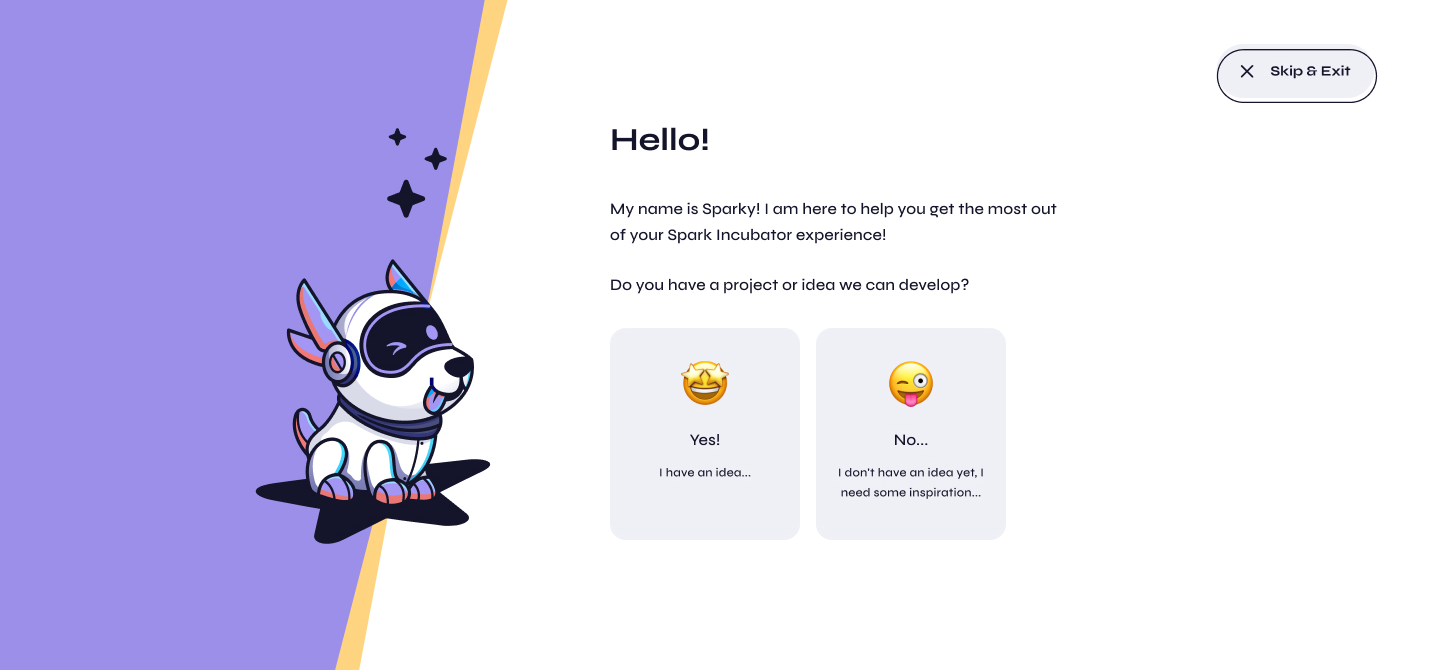
Everything after onboarding depends on whether a student arrives with an idea. So Sparky, the platform's guide, asks that first. A student who answers yes goes straight to the idea questionnaire. A student who answers no becomes a facilitator and joins someone else's project instead of facing a blank form.
That's also why the questionnaire can be skipped and resumed from the dashboard. A teenager's half-formed idea is still worth saving.
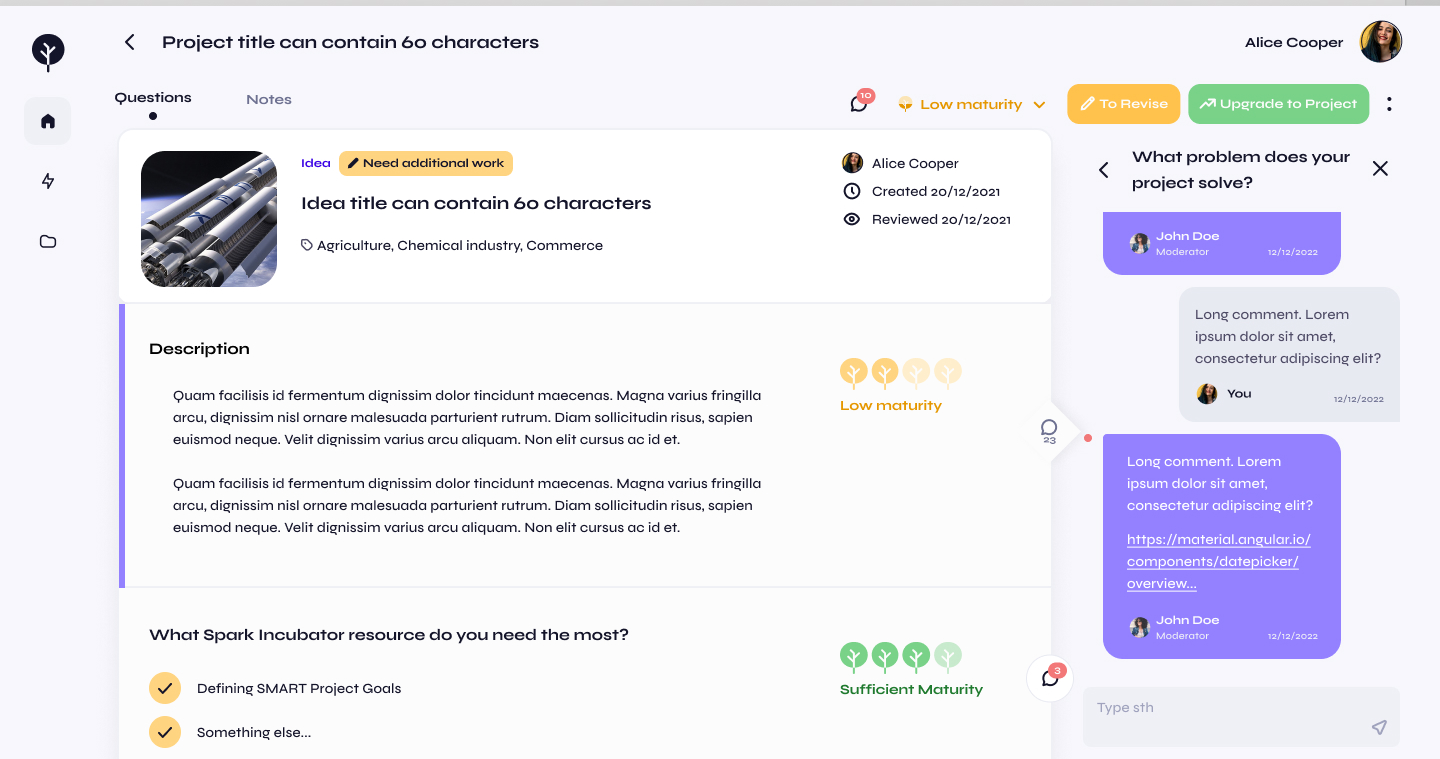
A moderator rates how mature each answer is on a scale built from the logo: five trees that fill in and turn from amber to green. The trees read as growth rather than a grade. That matters when the person reading the rating is fifteen and the idea is their own.
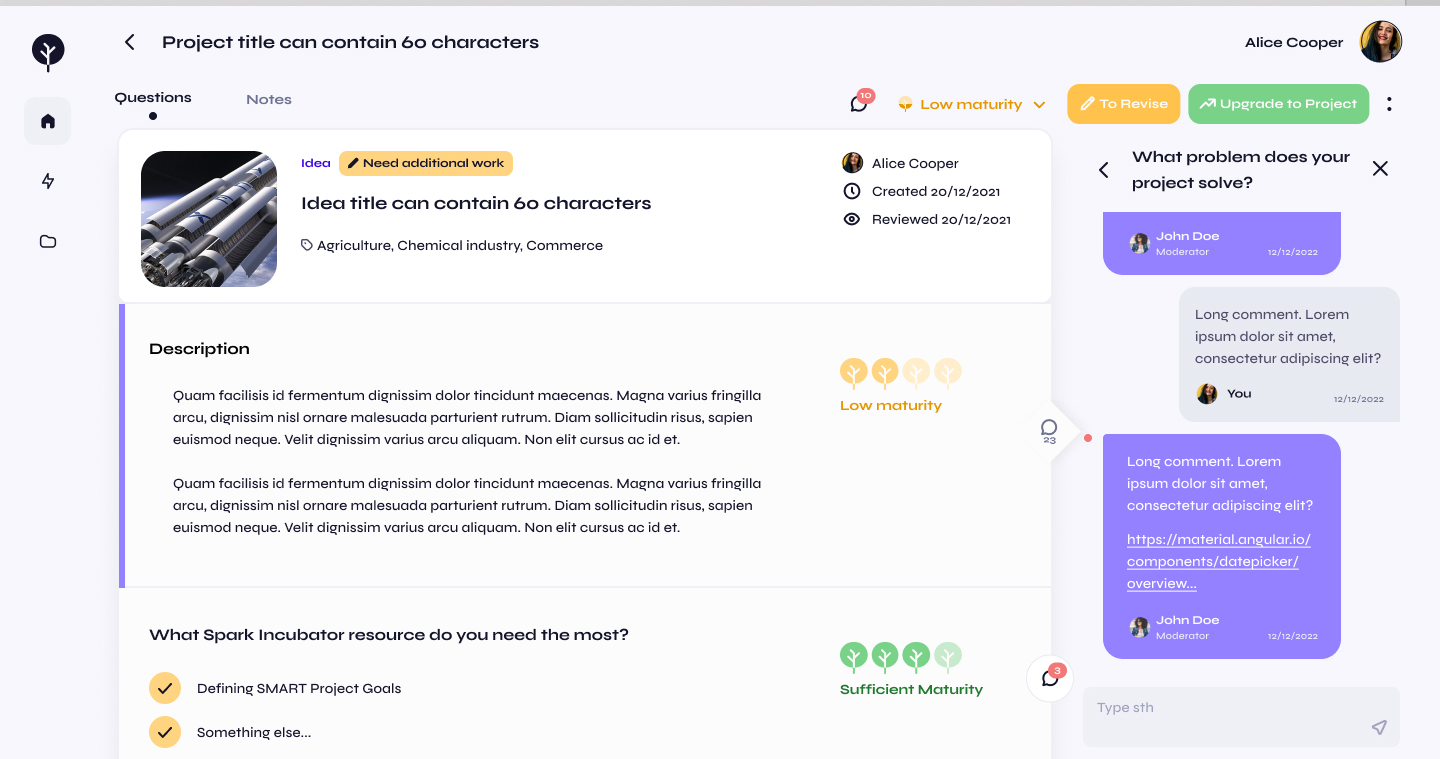
A rating for every answer
Each question carries its own rating, so a student sees which parts hold up and which need work. The header shows the overall level and the two next steps: send the idea back for revision, or upgrade it to a project.
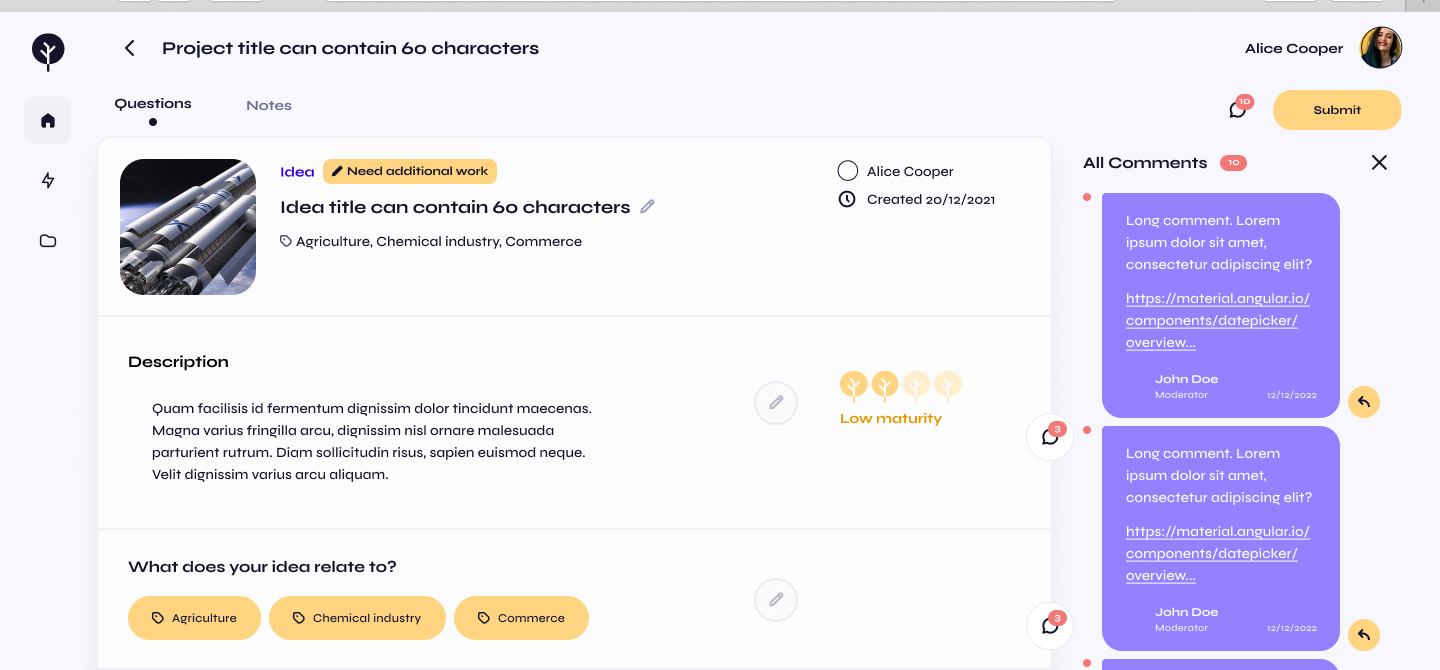
Comments attached to the answer
A moderator's comment sits on the question it refers to and can carry links to read. All comments also collect in one tab, and clicking one jumps to its section. So a student revising an idea always finds the note behind each change.
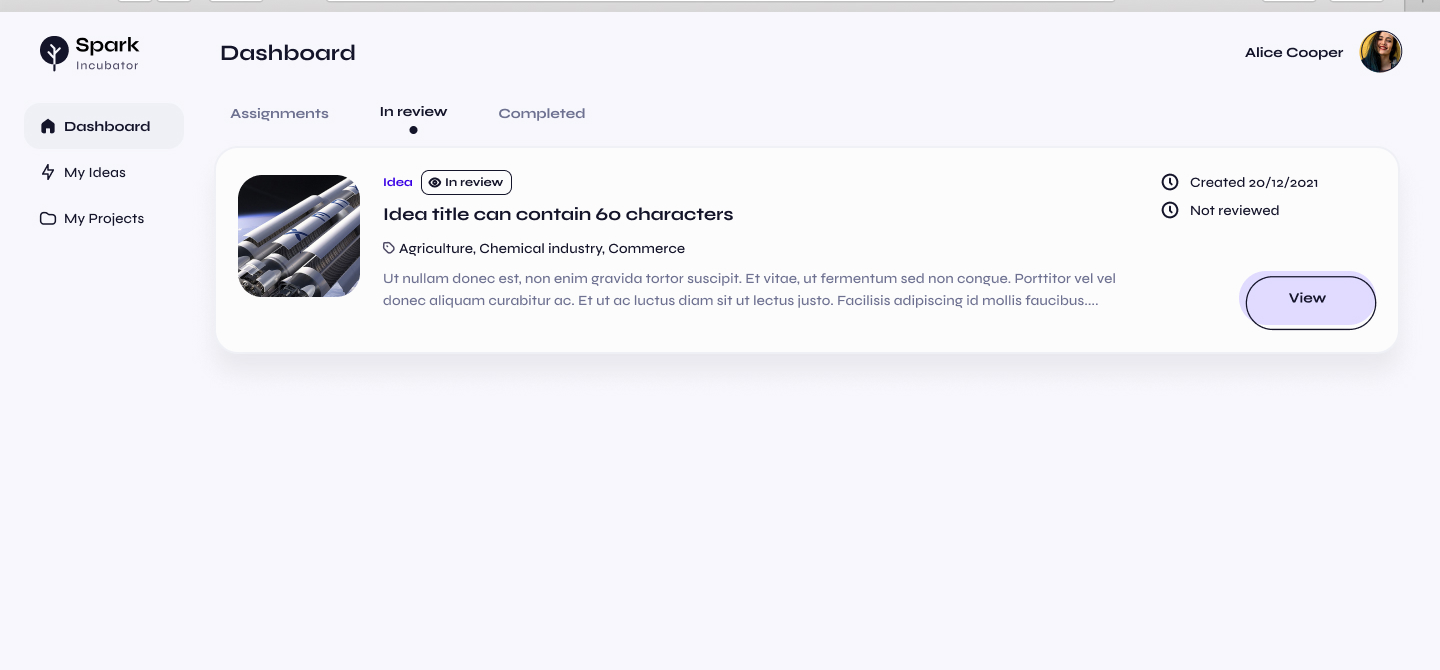
A clear status while the idea waits
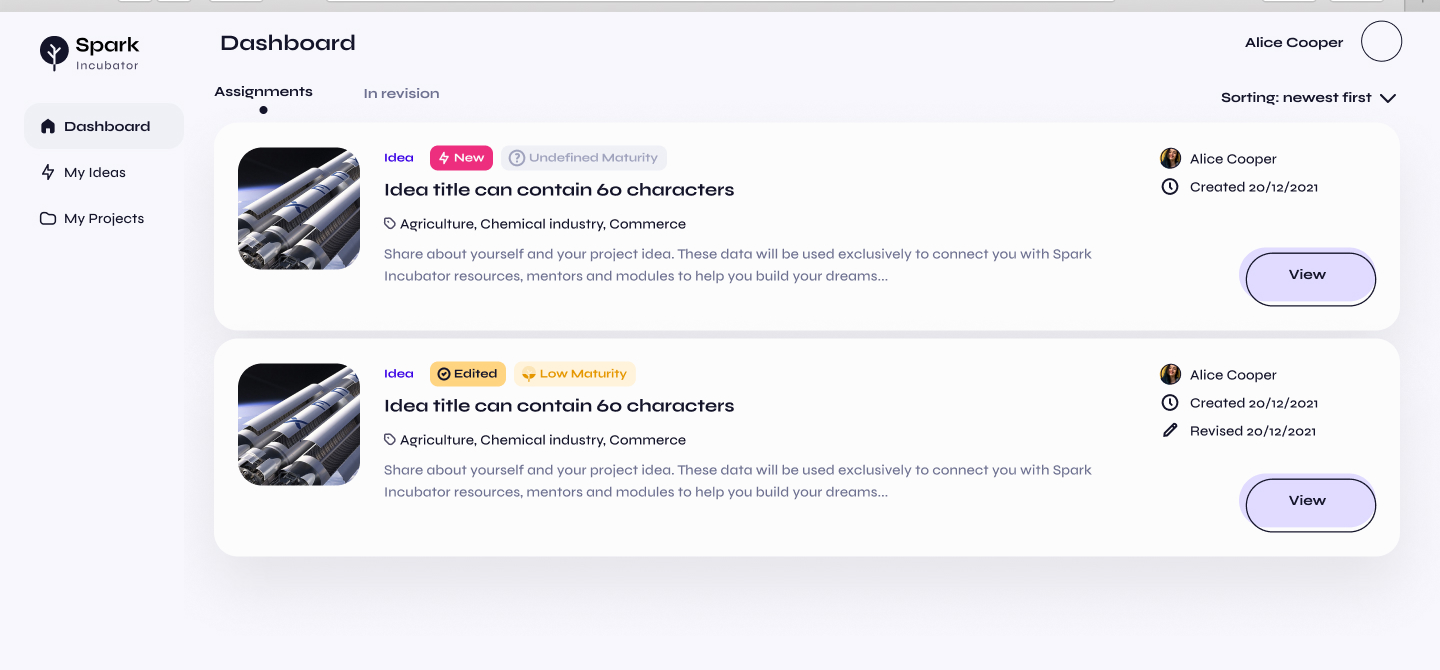
After resubmitting, the student sees the idea in review, with its status and history on the dashboard. Every submit asks for confirmation first, because a misclick on your own idea is costly.
The first questionnaire used a yellow canvas, hand-drawn squiggles and a cheering Sparky in the corner. Students in a serious entrepreneurship program read it as something made for younger children. So we moved it to a calmer, structured layout and kept only the playful parts that helped.
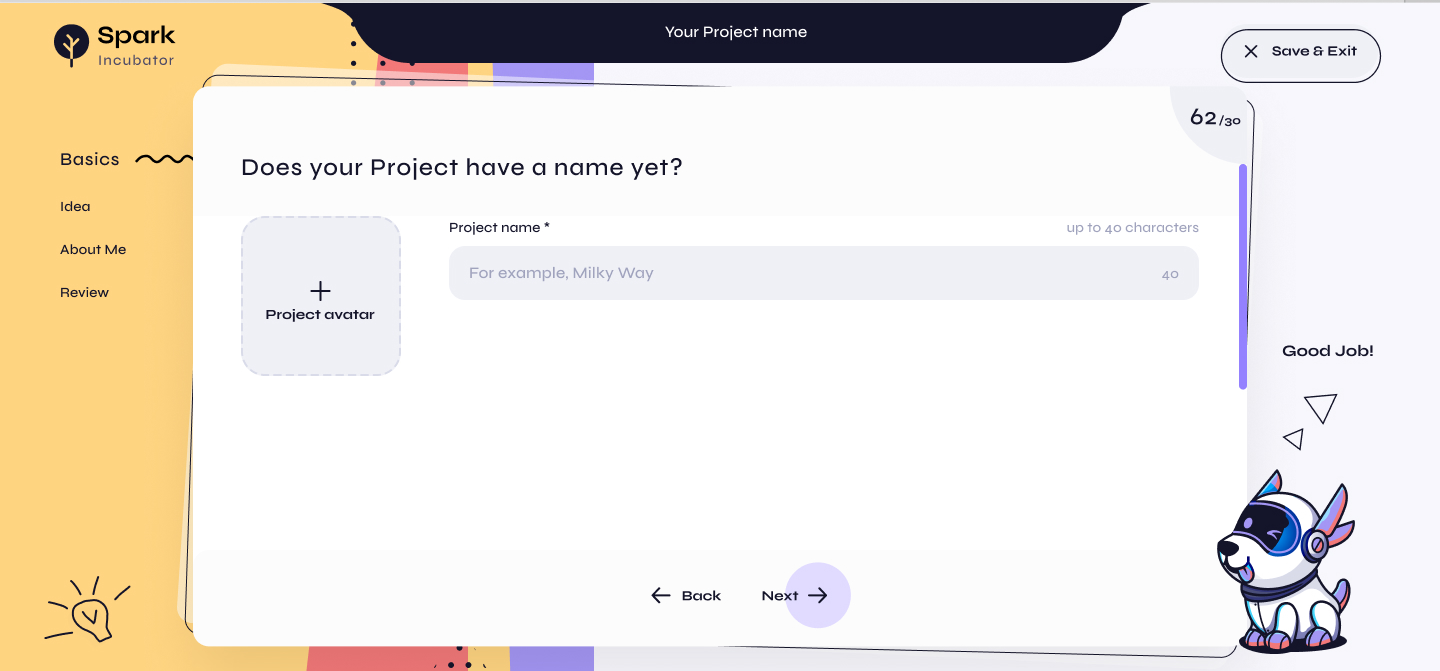
The original read as childish
Pencil lines, a full yellow background and a floating mascot competed with the question. The step names sat in the background instead of working as navigation.
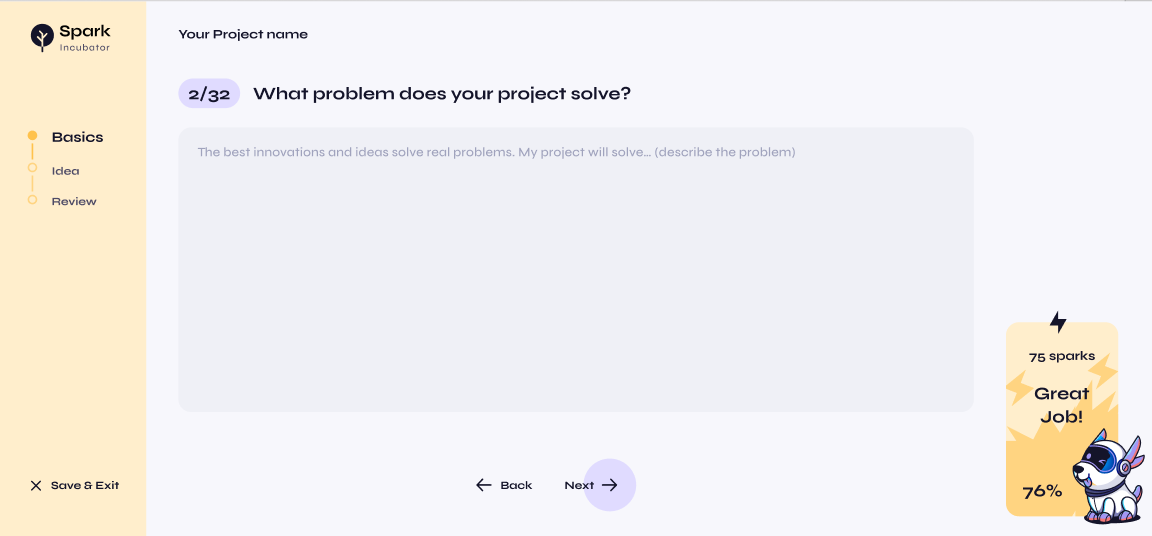
A calm layout with a real progress stepper
The redesign uses a plain background, simple shapes and a sidebar stepper that shows where the student is. Each question is numbered against the real total. The reward moved to a corner card that counts the sparks earned, so it no longer interrupts the form.
A tracker instead of a comment thread
Several designers and a front-end team worked in parallel, and usability doubts came in faster than anyone could act on them. So we kept one table of suspected issues. Each row held what the person ran into, a link to the exact Figma node, a criticality, a status and the task it became.
The tracker caught problems a spec review misses. People could not find the profile icon, because they expected to click the avatar. A read-only moderator field looked editable. A save button sat at the bottom of a list that could now run past twenty items. Save and cancel sat in different places on the profile and in the constructor. Each of these was small, and each made the page harder for a student to trust.
- The suspected issue, in the reporter's words
- A link to the exact Figma node
- Criticality: low, medium or high
- Status, from not started to completed
- The design or front-end task it became
Anyone on the team could add a row. Triage decided what became work and what was parked on purpose, so no issue stayed open without an owner.
22 students answered a survey after running a Sparkathon challenge on the platform. They rated navigation and team setup well. Their lowest scores matched the problems they described in their own words.
What the free-text answers surfaced
Only one person could type at a time
Only one team member could type at once, and their text did not appear on teammates' screens. More students named this than any other problem, and it broke the thing the product promised most: working on an idea together.
The image upload was hard to find
To add an image, students had to hover over the frame to discover the control. They asked for drag and drop, and some asked for video upload as well.
9 of 22 had trouble submitting answers
Thirteen students said everything was clear. The other nine ran into the save and mark-as-done behavior, which the tracker had already flagged as inconsistent between screens.
The event itself scored 4.77, so students enjoyed the challenge. The 4.0 for the platform is the number that shows what to build next.
Most of the lessons came from the gap between how we imagined the platform in use and how a classroom used it.
We designed the tone for an age we assumed
Check who is in the room
Hand-drawn lines and a cheering mascot felt warm to us and childish to the teenagers in a real program. Keeping the mascot and calming everything around it kept the warmth and won back credibility.
Five roles pulled toward five products
Model the object first, then the screens
Treating the idea as one record that each role sees differently kept the platform coherent. Designing each role's dashboard first would have produced five apps behind one login.
Help and comments were one feature with two names
Name a feature after what it does
A request-help button that posted a comment confused our own team before any student saw it. When two entry points create the same object, one of them has a naming problem.
Collaboration was tested last
Test the multiplayer path early
Every solo flow held up in testing. The flow that broke was two students working at once, which is the main way the product is used. It became the loudest finding in the survey and the one we could most easily have caught earlier.