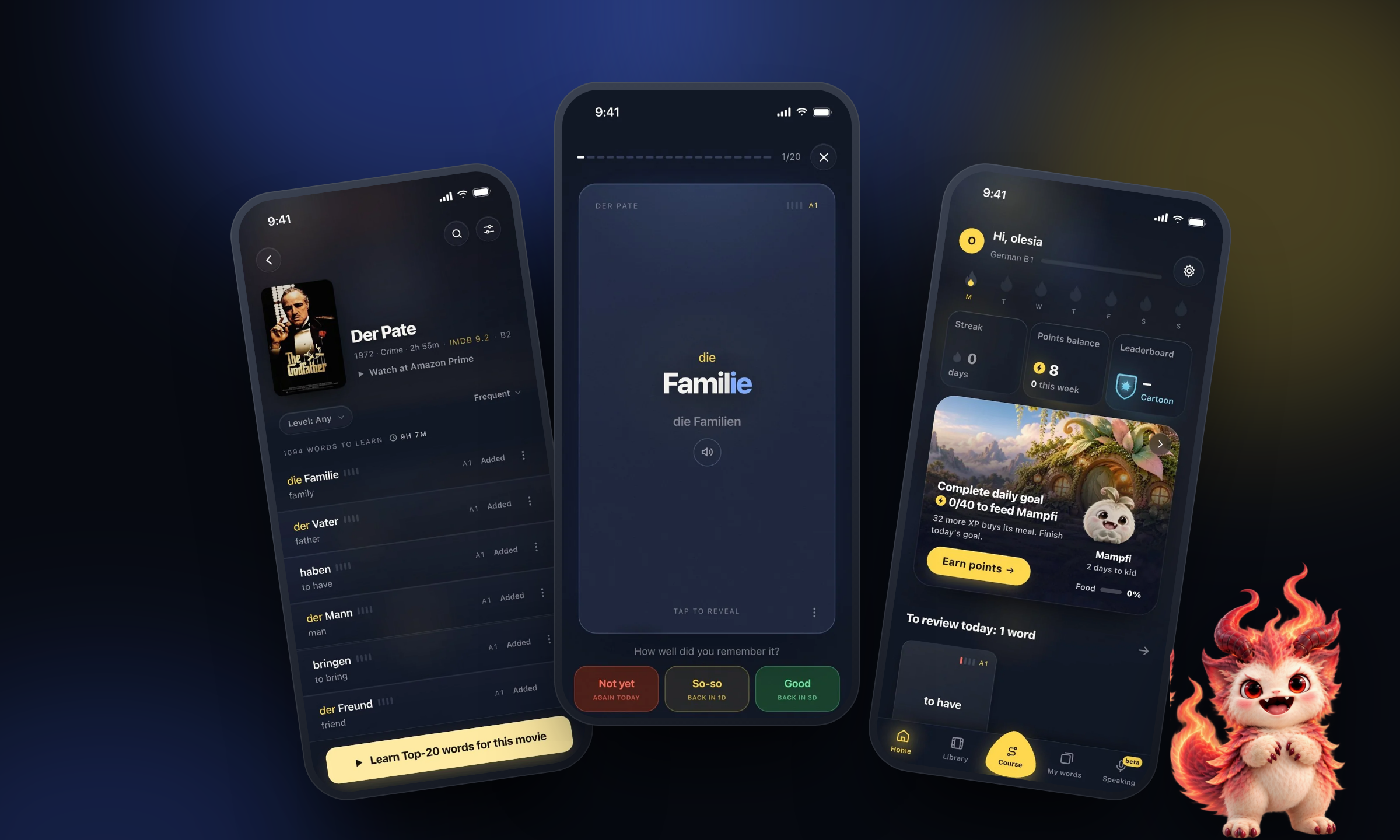
DesignPath - a growth app for designers, designed and built by one designer
How I took a skill-gap idea from a designer survey to a live product with real payments, with AI writing the code and me making the calls.
- Role
- Lead Product Designer & AI Builder
- Timeline
- 2025 - now
- Platform
- Web app · Landing · Payments
- Tools
- Figma Make · Claude Code · Supabase
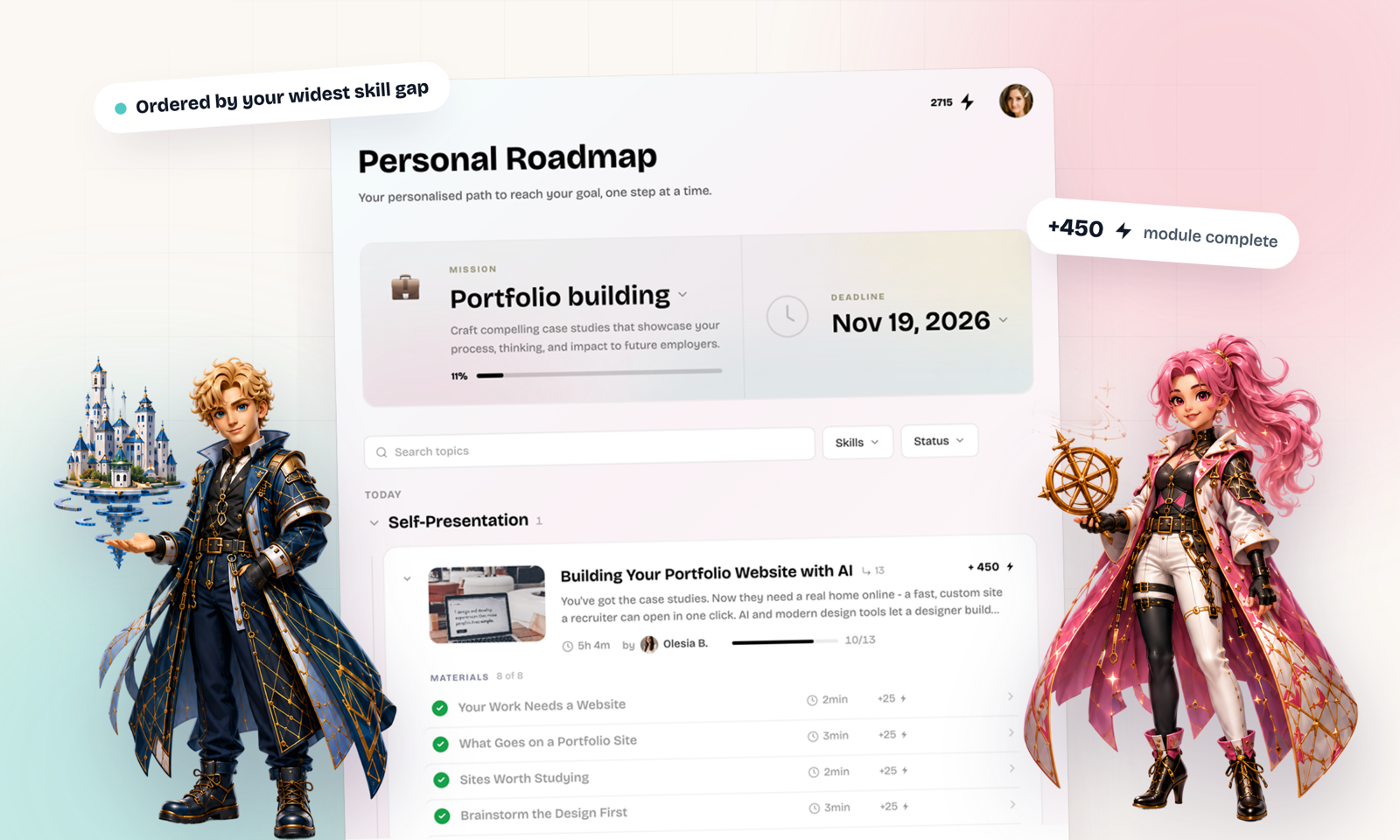
The designers I talked to learned from many places at once and still could not say what to learn next.
In my survey, most designers said they would pay for a personalized career roadmap and for help building portfolio cases. DesignPath answers both in one loop. A test finds the gaps against a target role, a roadmap orders the modules by the widest gap, and every module ends in a task a mentor can review.
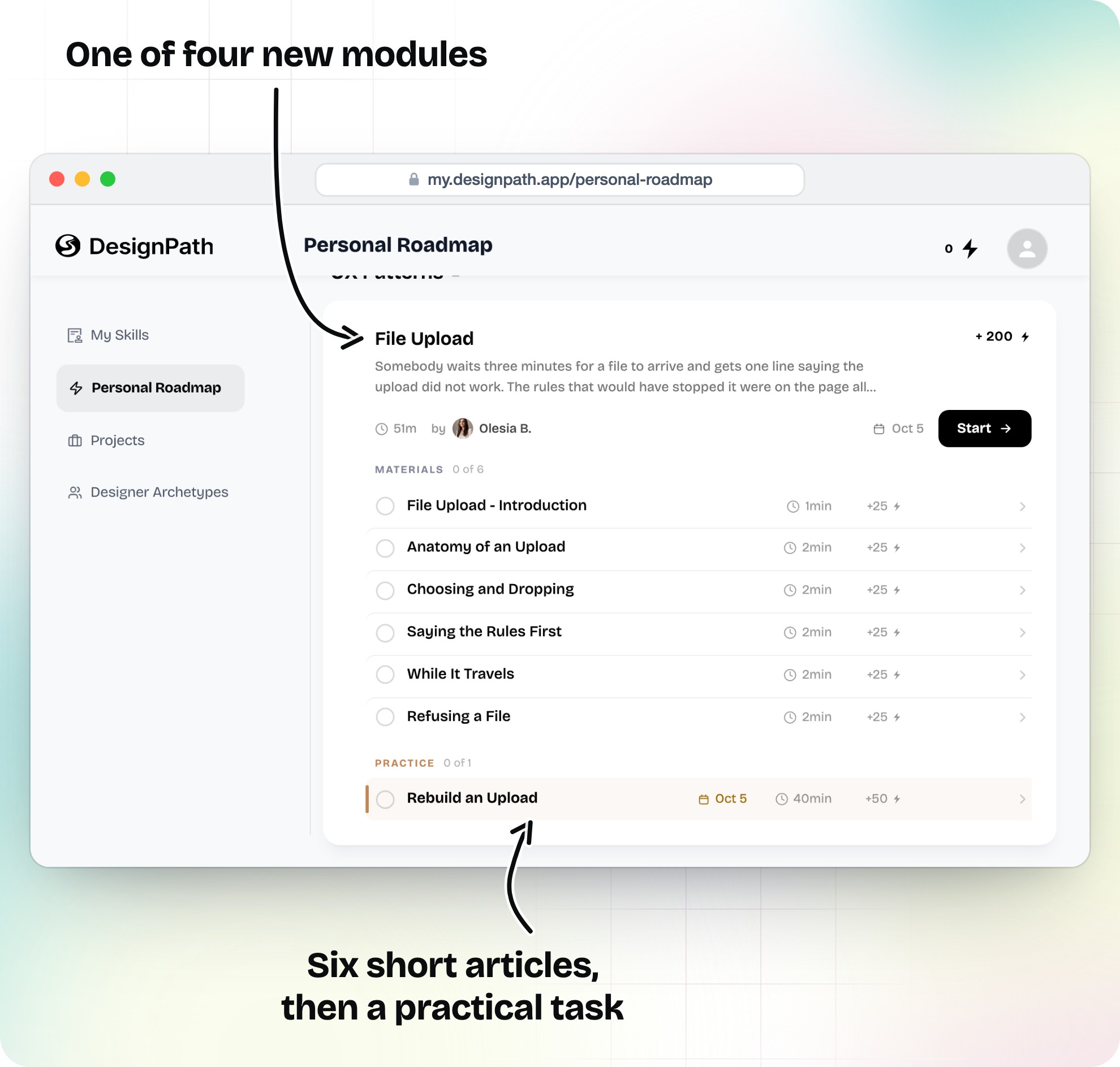
A module on the Personal Roadmap: short articles first, then a practical task.
DesignPath is my own product. I ran the research, designed every screen, wrote much of the course content, and built the app with Claude Code. A second author now co-writes the content.
Started from a survey, not a feature list
The survey asked designers which career problems slow them down and which tools they would pay for. A personalized roadmap and a portfolio case builder came out on top, so they became the spine of the product.
Designed in code, then mirrored to Figma
The app began as a Figma Make export. From there I designed in the browser, then rebuilt the design system as a Figma library from the live code, so the file matches what ships.
Built with AI as the engineering team
React, Supabase, Stripe and Vercel, written with Claude Code. My part was the judgment: what to build, what to cut, and whether the result matched the design.
Wrote the learning system
Courses are written in Obsidian and reach the app through an import script. Each module closes on a practical task, so reading always turns into work.
Most of the product shipped in the three months between the first release with accounts and the day payments went live.
- Feb 2025
Designers rate their career pains
A survey asked designers what slows their careers and which tools they would pay for. A personalized roadmap and a case study builder came out on top.
- Jan 2026
A Figma Make prototype becomes a repo
The first commit imported the Figma Make export. Every screen after that was designed and refined in code.
- Jun 25, 2026
Accounts, the assessment and three courses
The first account-based release shipped the skill assessment, the archetype quiz, the growth plan, Google sign-in, and courses in Typography, Color Theory and Client & Stakeholder Management.
- Aug 14, 2026
Mentor reviews and a roadmap ordered by gap
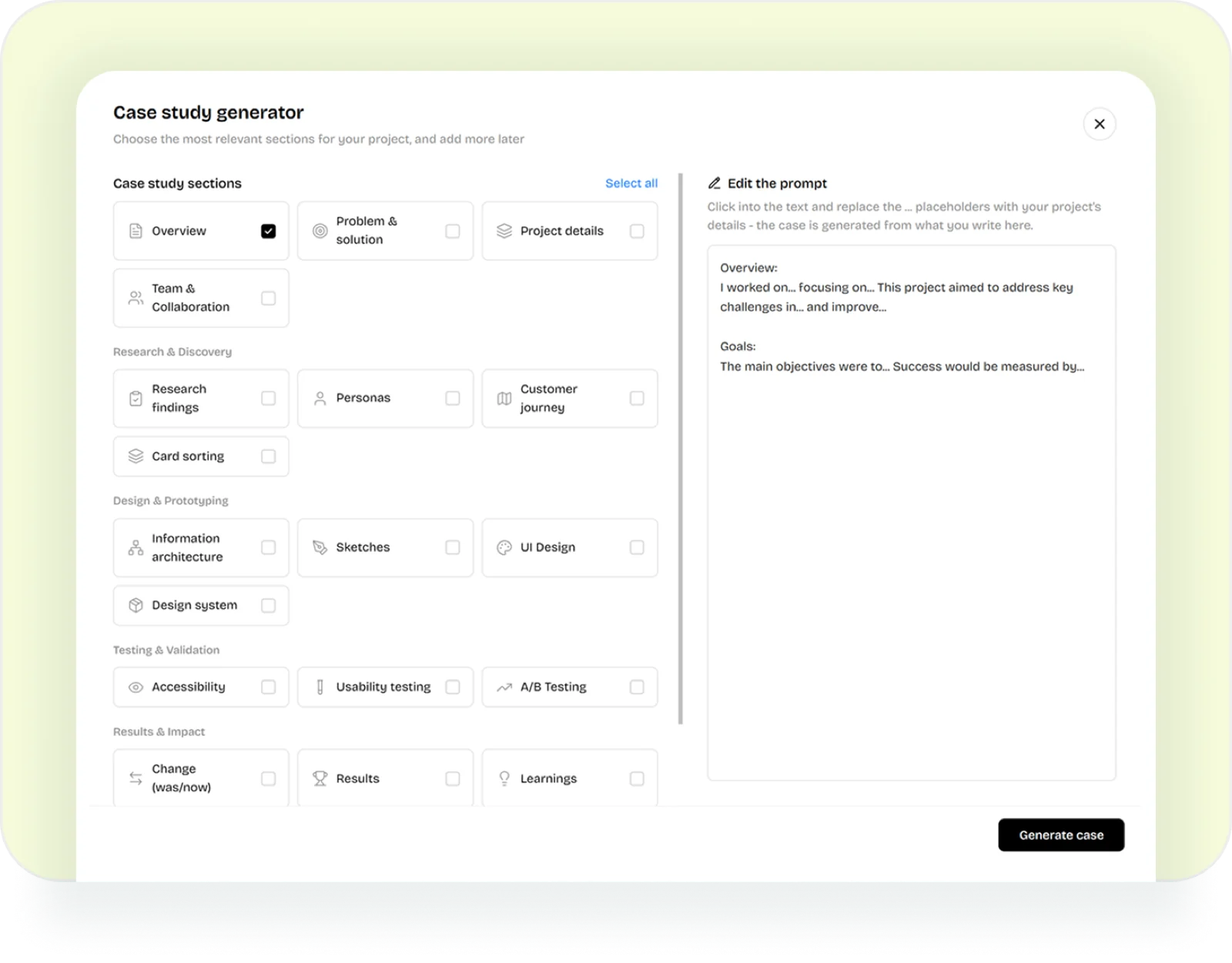
The assessment split into levels, and the Working Zone became the Personal Roadmap. Mentor reviews, certificates, Listen mode and Claude-built portfolio cases arrived in the same release.
- Aug 17, 2026
The design system moves into Figma
The design system was rebuilt as a Figma library from the app's code, so the file matches what ships.
- Oct 5, 2026
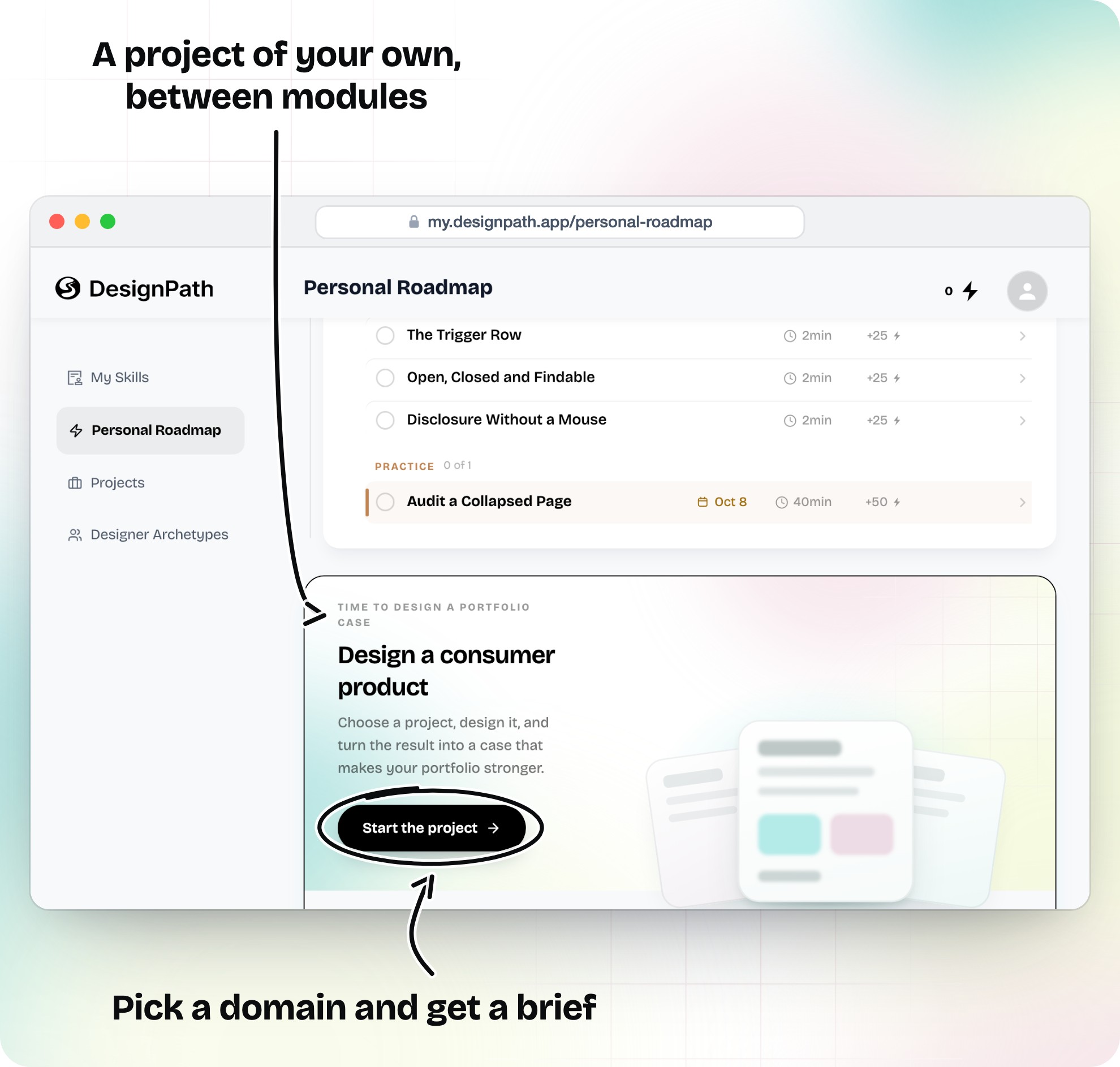
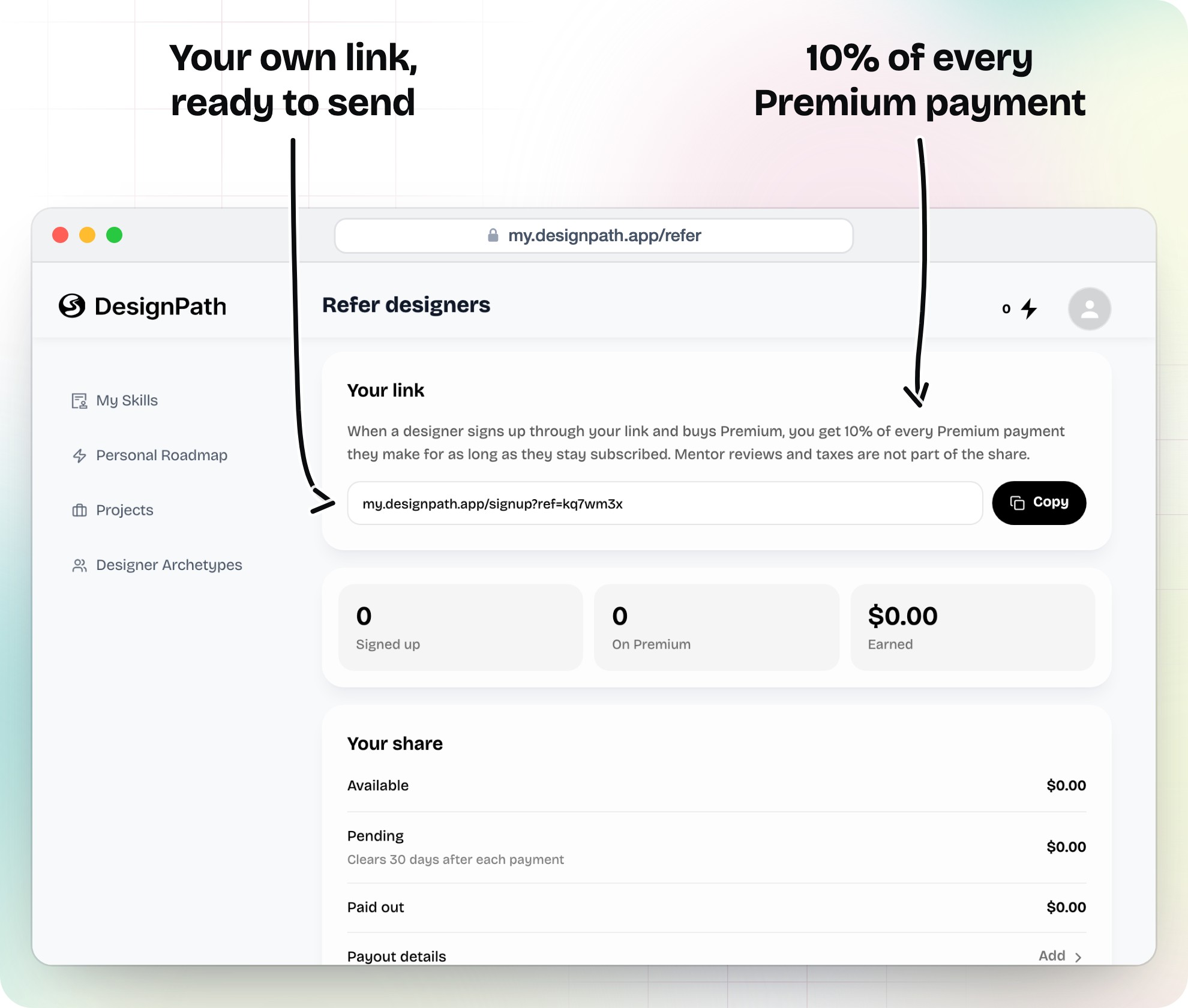
Real payments, referrals and a faster app
Stripe went live on the product's own account, alongside a referral program and personal portfolio projects. The same evening, a performance fix cut the slowest request from 17.7 to 2.3 seconds.
A loop that answers what to learn next
The assessment finds the gaps, the roadmap puts them in order, the task turns reading into work, and the review brings a person back in.
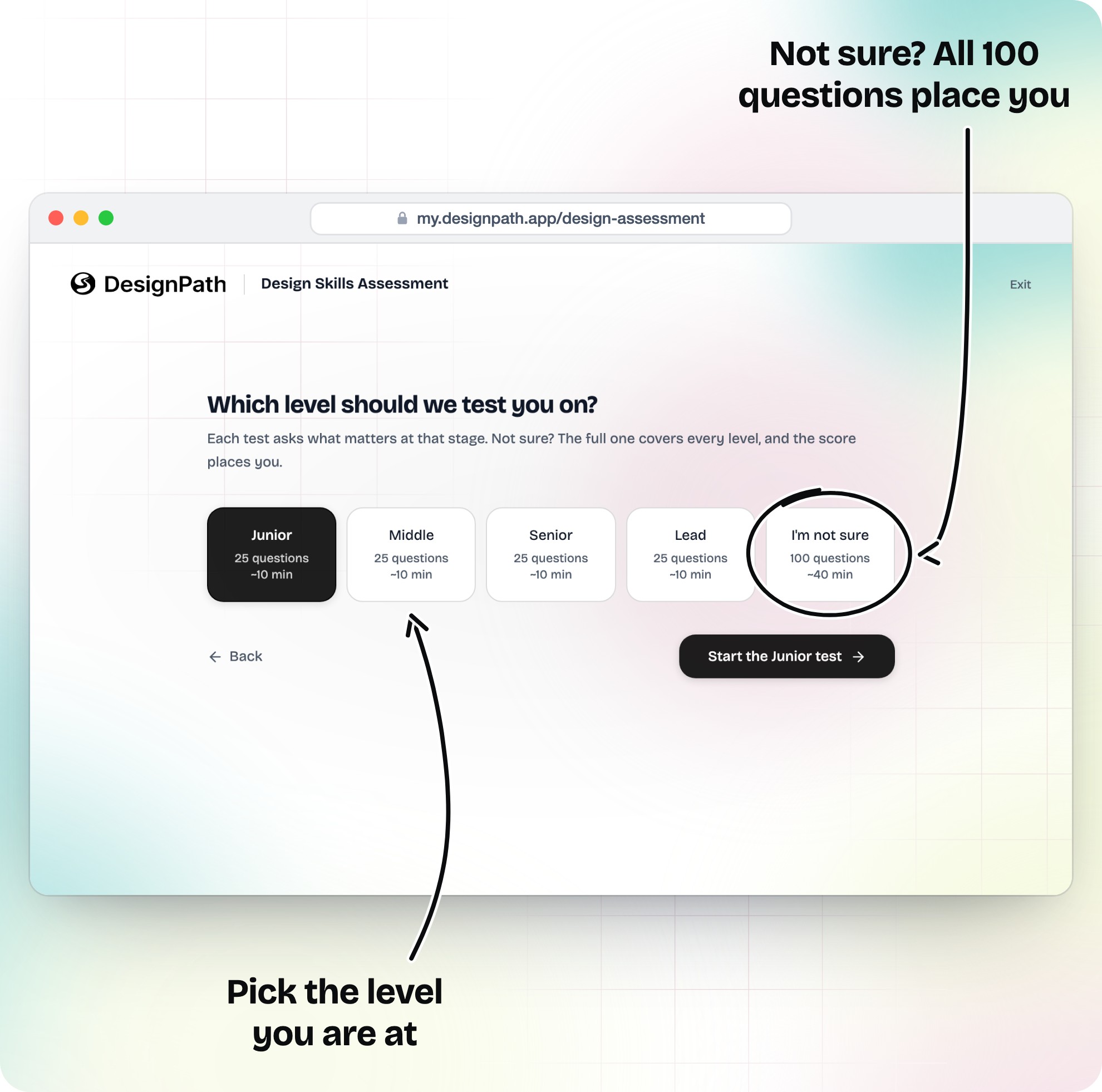
Each level card states its length before anyone commits. The last one runs every question in rising difficulty and places the designer by score.
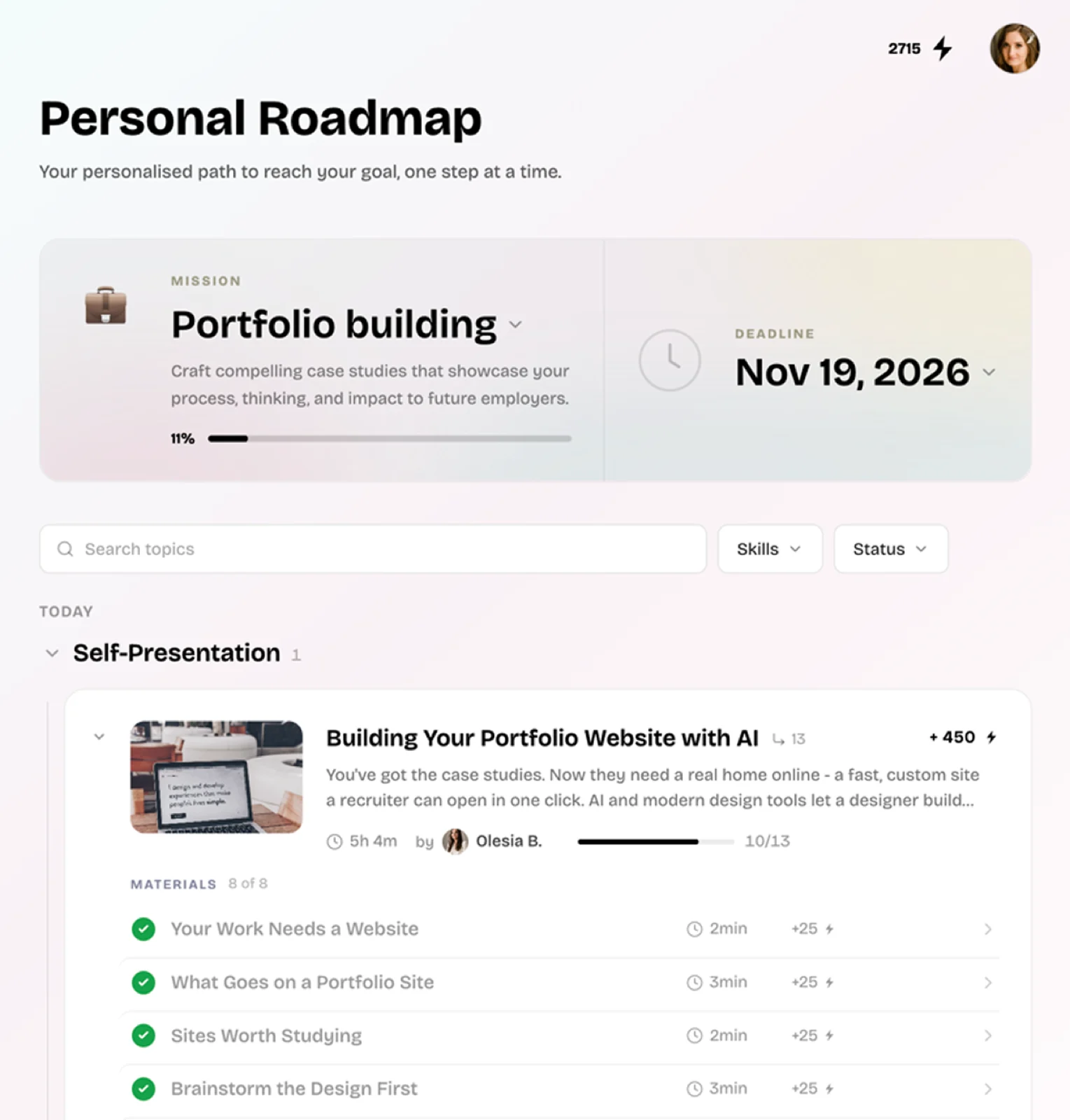
Modules are ordered by the widest gap between the designer's score and the target role, so the first card and the biggest dip on the skills radar say the same thing.
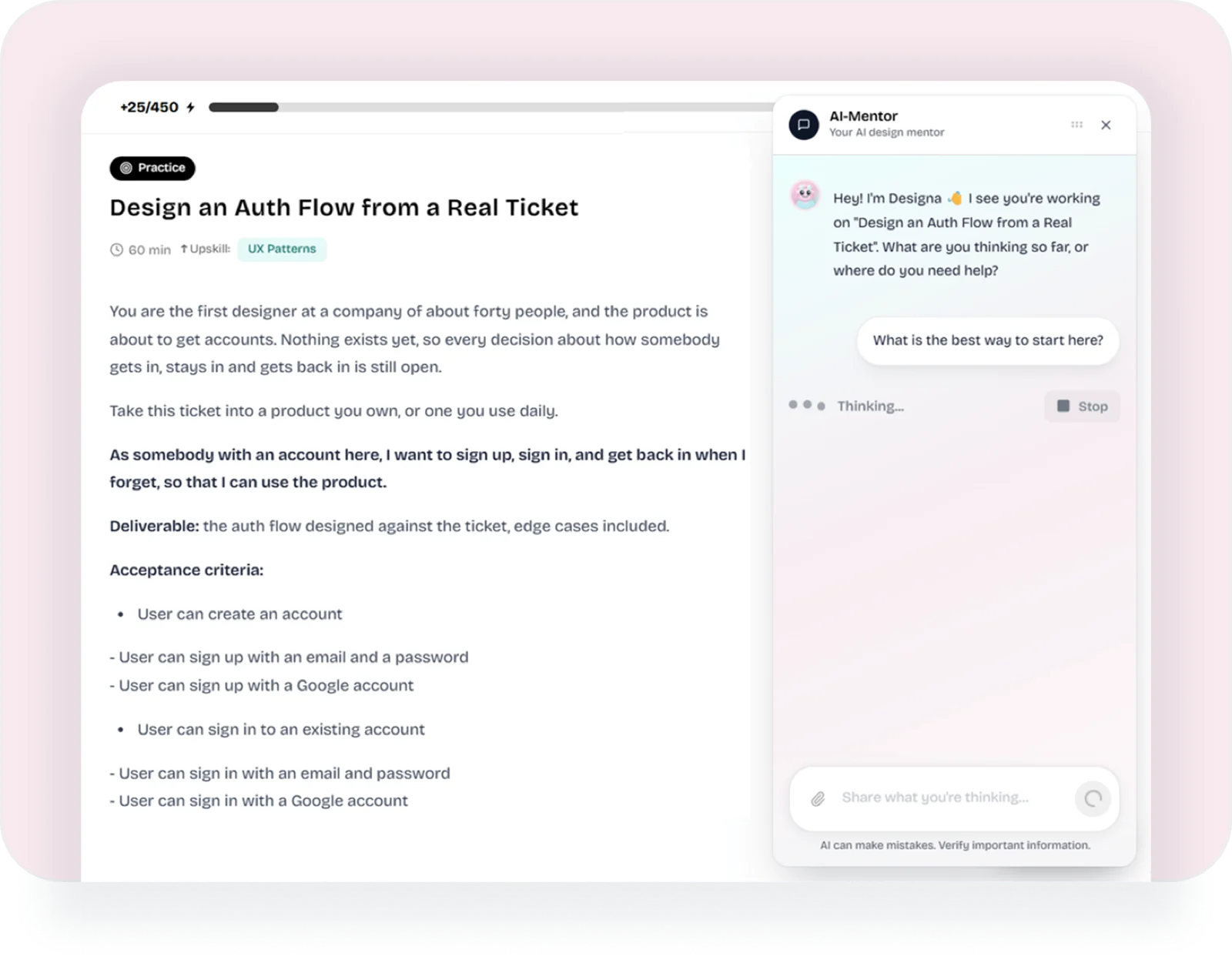
A practical task reads like a ticket from a product team. The AI mentor beside it asks questions instead of handing over answers, so the design stays the designer's.
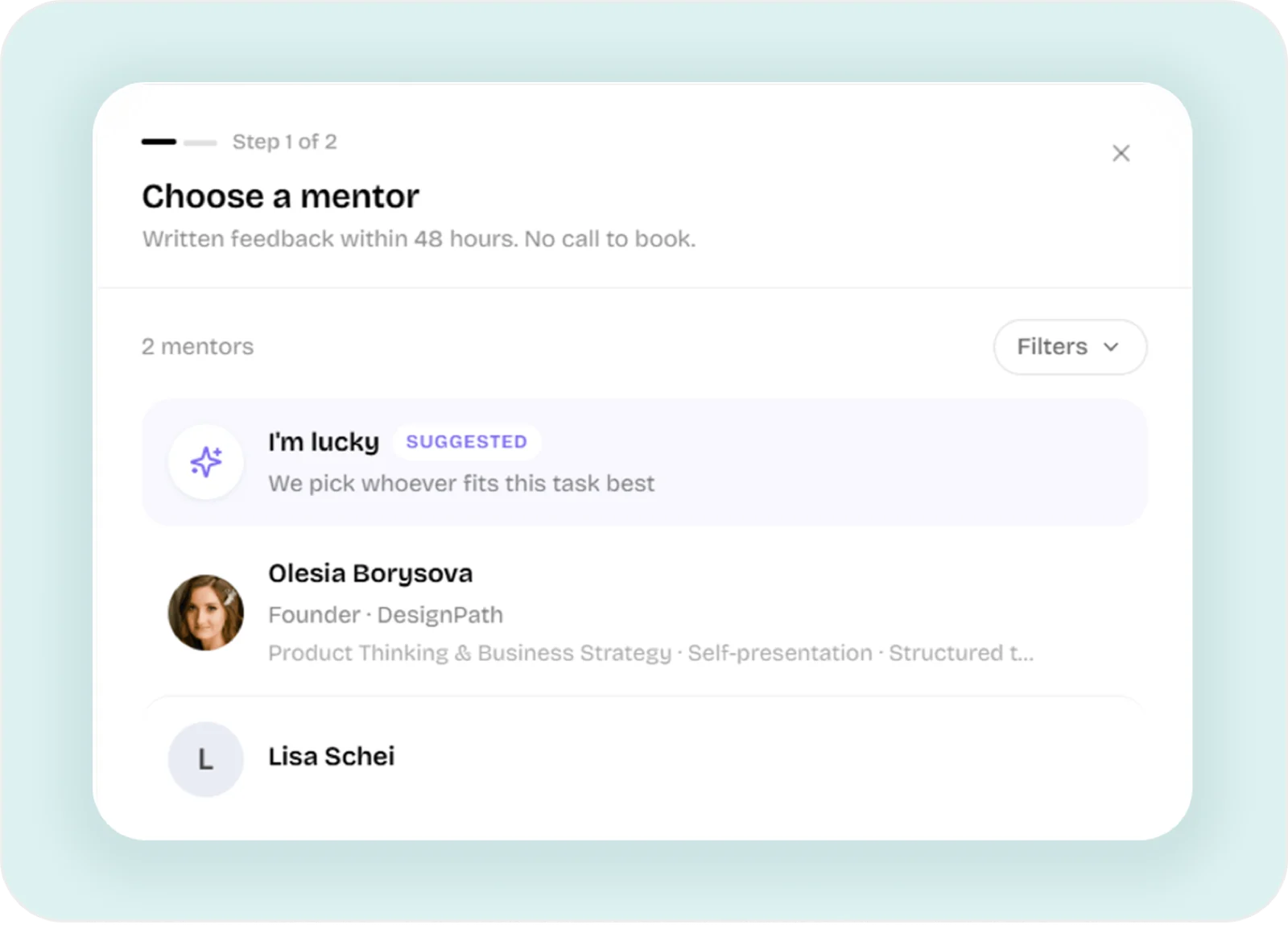
A finished task goes to a mentor without leaving the page and comes back with written notes and a walkthrough video. Reviews are bought outright, so they never expire with a plan.
The quiz gives a designer a character before it gives them a score. A few questions match them to an archetype with its strengths, the shadow behind each strength, and a matching way into the growth plan.









The quiz is open to people without an account. Anyone can take it from a shared link, and only the result asks them to sign up, with their answers already saved.

The app renders in Bricolage Grotesque on every element. The font is set once in the stylesheet, so no component can drift to another face. Color comes from the brand ramps of pink, teal, gold, olive and dusty rose.
Saturated teal and gold fail contrast as text on white, so highlighted words in headings take muted mauve, teal or olive, which pass WCAG AA. Violet had no place in the brand, so every purple token and glow was replaced with teal.
That's also why the Figma library came last. It was rebuilt from the live code, so designers and the product share one source.
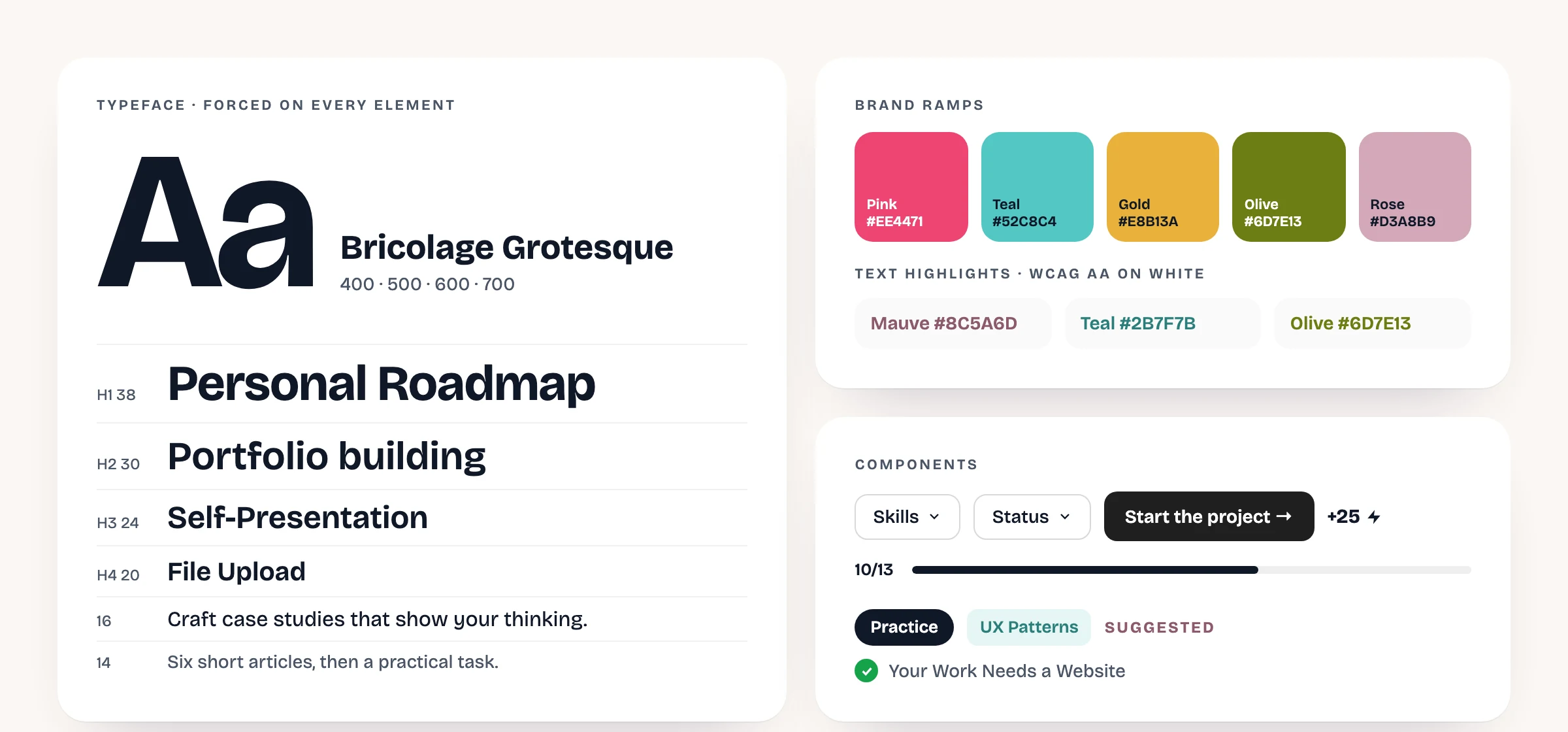
Bricolage Grotesque, the brand ramps and the core components, taken from the live code.
Working alone meant every product call was mine to make. These shaped the product most.
XP became energy points
Points show as a number and a bolt icon. The letters XP read as gamer jargon to a professional audience, and the icon already carried the meaning.
The Working Zone became a Personal Roadmap
The first version spread modules across a deadline. The rename came with a new order, by skill gap, so the name now says what the page does.
Reviews sold outright
Premium moved to one flat monthly price, and mentor reviews became a separate purchase. Because a review is owned, a lapsed plan never takes away feedback someone paid for.
The quiz before the account
A quiz behind a sign-up wall cannot travel as a link. Opening the six questions to everyone and asking for an account only at the result lets one designer send it to another.
The roadmap and referral pages started taking seconds to load. Reading the server logs with Claude traced the delay to its causes, and both were fixed the same evening.
What the logs showed
Startup work ran on every request
The server ran its setup work every time it booted, and the hosting runtime booted a fresh worker for nearly every request. So one page load turned into hundreds of backend calls.
One index, copied hundreds of times
One small table carried hundreds of identical indexes, far heavier than the data they indexed. Dropping the copies brought query planning under a millisecond.
The rule I kept from it: never put network or database work at the top level of a serverless function, because there, startup happens on every request.
DesignPath is young, and the numbers say so. Amplitude counts browsers, so the account count in the database is the figure I report against.
accounts in the database
visitors recorded in Amplitude, all time
articles in the UX Patterns course
The Amplitude figure includes early test sessions on my own machine, so it overstates real visitors.
AI made the code cheap, so the hard part moved to checking what it produced.
AI writes code faster than I can check it
Only a loaded page proves a change works
A green build said nothing about whether a screen rendered. So opening the real page became part of every change, with a type checker as a second gate.
Generated mockups invented content
Mockups come from markup
The first Figma screens built from the app were filled with plausible titles that did not exist. Rebuilding them from each page's literal strings made the file useful for checking the product.
Courses outgrew any in-app editor
Write where writing is easy
Courses live in Obsidian and reach the app through an import script. That's why a whole course could be rewritten and re-imported in one go instead of edited screen by screen.
Analytics overstated the audience
Count accounts, not browsers
Amplitude showed 535 users while the database held 46 accounts. Anchoring every report to the account count keeps product decisions tied to real people.